Template Module, Elderly, Version 1.1, 01.04.2019,
Making calls
Gigaset E290-E290A / LUG-Kombi CH en / A31008-M2901-F101-1-2X19 / telephony.fm / 5/5/20
28
Entering a preselection number
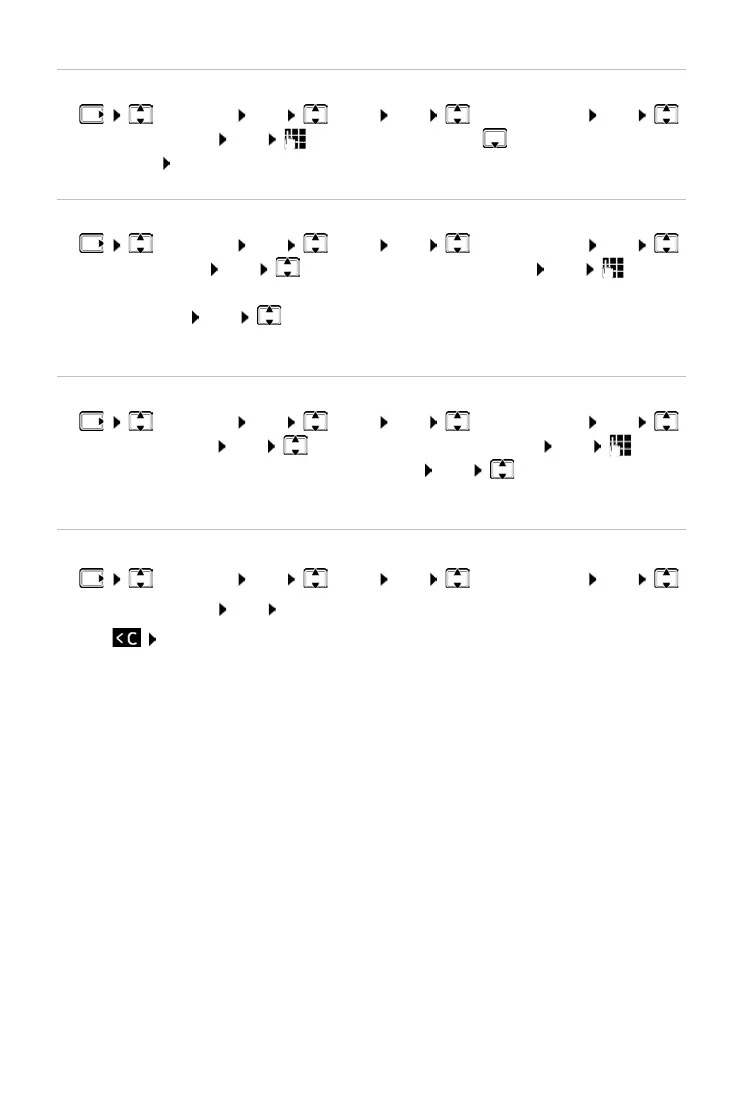
¤ Settings OK Base OK Preselection OK
Presel. Number OK Enter the number or use number from
directory OK
Create list of prefix numbers with preselection
¤ Settings OK Base OK Preselection OK
With Preselect OK Select the list entry (1 – 11) OK Enter
(the initial digits of) the prefix number for which the preselection number
is to
be used OK Select different list entry as required and enter
more numbers
Create list of prefix numbers without preselection
¤ Settings OK Base OK Preselection OK
Without Presel. OK Select the list entry (1 – 11) OK Enter
the exceptions for the W
ith Preselect list OK Select another list
entry as required and enter more numbers
Disabling preselection permanently
¤ Settings OK Base OK Preselection OK
Presel. Number OK Clear the preselection number with the Display
key OK



 To Next Page