Gigaset E290-E290A / LUG-Kombi CH en / A31008-M2901-F101-1-2X19 / telephony.fm / 5/5/20
Template Module, Elderly, Version 1.1, 01.04.2019
Directory
33
Deleting a directory (entry)
Deleting a directory entry
Deleting a directory
Transferring a directory (entry) to another handset
Transferring a directory entry to another handset
Transferring a directory to another handset
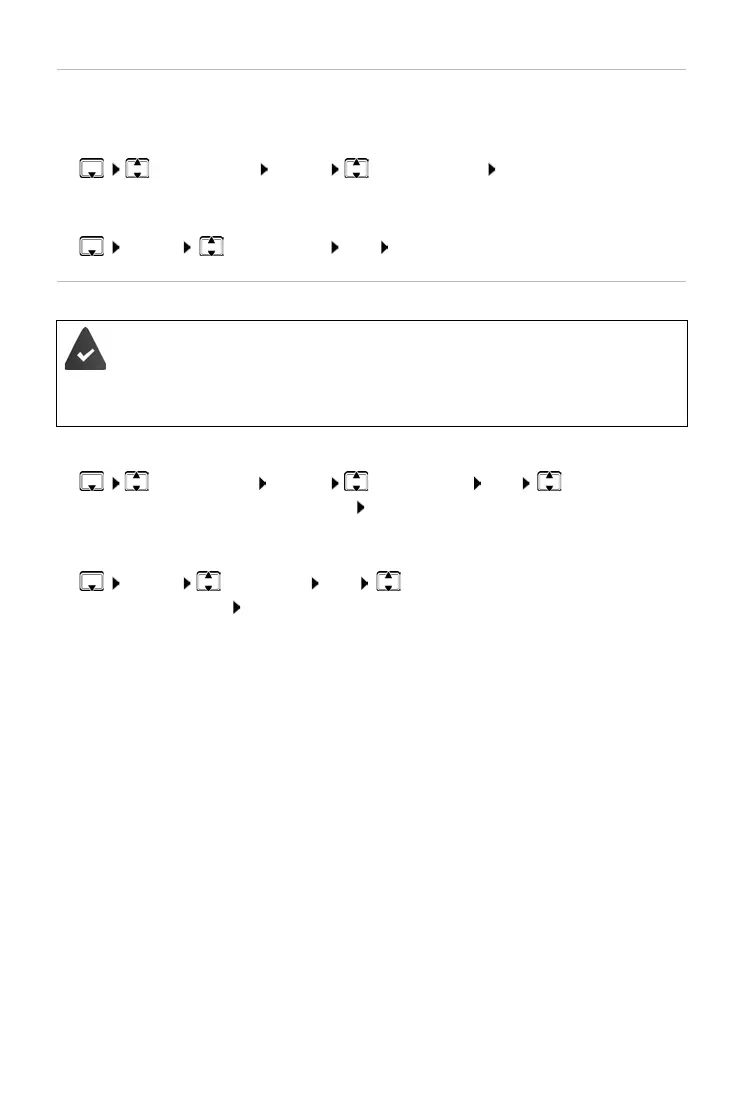
¤ Select entry Menu Delete Entry OK
¤ Menu Delete List OK Confirm deletion with OK
The sending and receiving handsets must both
be registered with
the same base.
The other handset and the base are able to send and receive direc-
tory entries.
¤ Select entry Menu Send Entry OK Select internal
number of the recipient handset OK
¤ Menu Send List OK Select internal number of the
recipient handset OK



 To Next Page