16
Template Go, Version 1, 01.07.2014 / ModuleVersion 1.0
Making calls
Gigaset E370A / LUG UK-IE en / A31008-M2841-L101-1-7619 / telephony.fm / 9/14/17
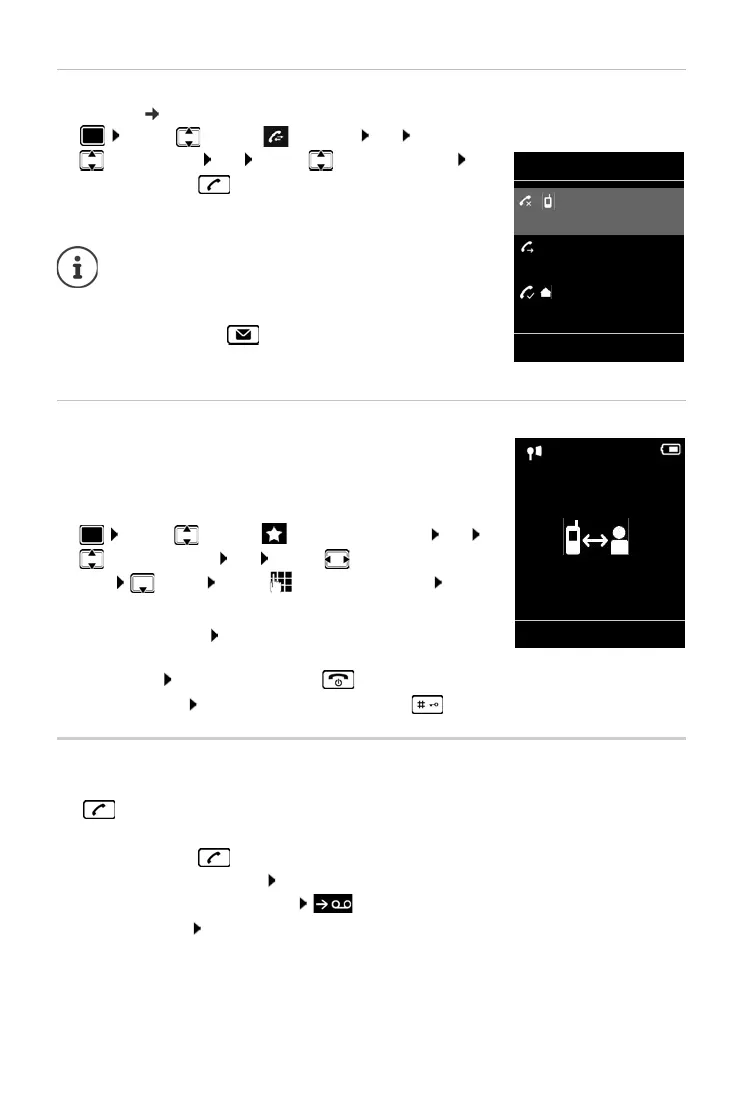
Dialling from the call list
The call lists ( p. 28) contain the most recent accepted, outgoing and missed calls.
¤ . . . use to select Call Lists OK . . . use
to select a list OK . . . use to select an entry
Press the Talk key
One touch call
A saved number is dialled by pressing any key. This allows children
who are not yet able to enter a number to call a certain number, for
example.
Activate one touch call mode:
Make a one touch call: Press any key . . . the saved number is
dialled
Cancel dialling: Press the End call key .
End one touch call: Press and hold the End call key
Incoming calls
An incoming call is indicated by ringing, by a display on the screen and by the flashing Talk
key .
Accept a call:
• Press the Talk key
• If Auto Answer is activated: Remove the handset from the charging cradle
• Forward to the answer machine: (for calls to the fixed line number)
Switch off ringtone: Si
lence . . . the call can be accepted for as long as it is shown on the
display
The call lists can be displayed directly by pressing the
displa
y key Calls if the relevant function has been
assigned to the display key.
The Mi
ssed calls list can also be opened by pressing
the Message key .
¤ . . . use to select Additional Features OK
One Touch Call OK . . . use to activate Activa-
tion Call to . . . use to
enter the number Save
. . . the active one touch mode is shown in the idle display
All calls
Frank
14.02.17, 15:40
089563795
13.02.17, 15:32
Susan Black
11.02.17, 13:20
View Options
Example
07:15
INT 1 22 Feb
OneTouchCall active
0891234567
OFF



 To Next Page