15
Gigaset E370A / LUG UK-IE en / A31008-M2841-L101-1-7619 / telephony.fm / 9/14/17
Template Go, Version 1, 01.07.2014 / ModuleVersion 1.0
Making calls
Making calls
Making calls
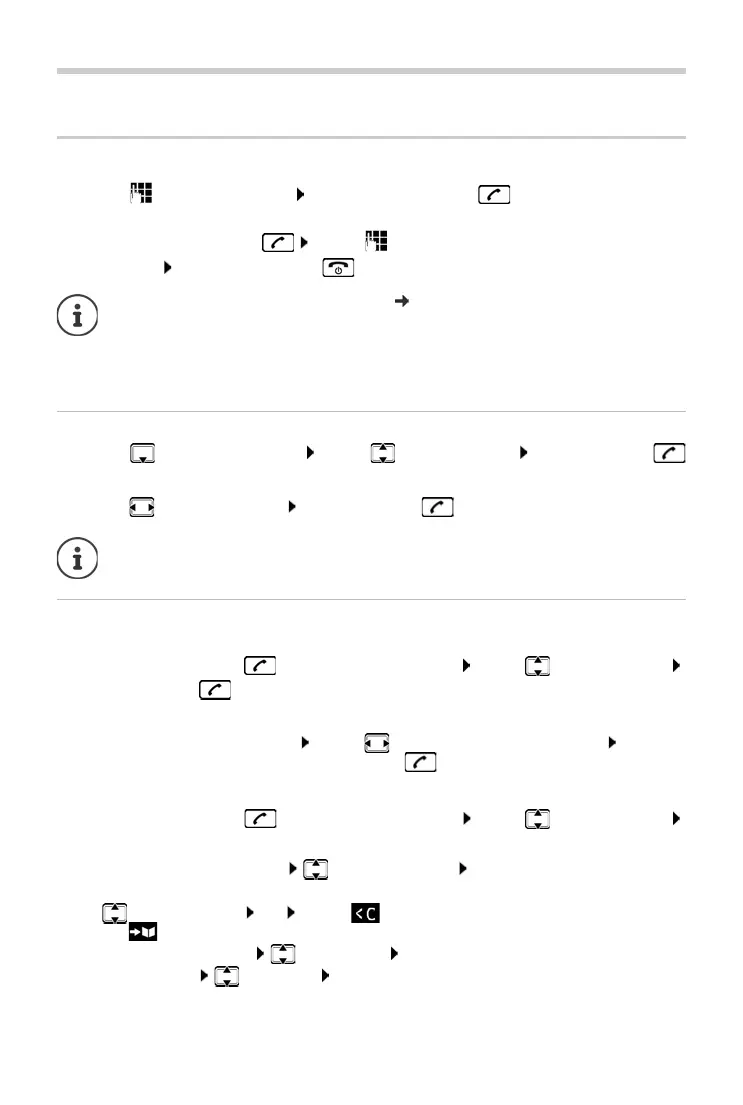
¤ . . . use to enter the number briefly press the Talk key
or
¤ Press and hold the Talk key . . . use to enter the number
Cancel dialling: Press the End call key
Dialling from the directory
¤ . . . use to open the directory . . . use to select an entry press the Talk key
If multiple numbers are entered:
¤ . . . use to select a number press the Talk key . . . the number is dialled
Dialling from the redial list
The redial list contains the 20 numbers last dialled with the handset.
¤ Briefly press the Talk key . . . the redial list is opened . . . use to select an entry
press the Talk key
If a name is displayed:
¤ View . . . the number is displayed . . . use to browse numbers if necessary . . . when
the desired number is reached pr
ess the Talk key
Managing entries in the redial list
¤ Briefly press the Talk key . . . the redial list is opened . . . use to select an entry
Options . . . possible options:
Information for Calling Line Identification: p. 20
If the display backlight is deactivated, you can reactivate it by pressing any key. Digit
key
s that are pressed appear in the display for pre-dialling, other keys have no further
function.
For fast access (quick dial): Assign numbers f
rom the directory to the digit or display
keys.
Copy an entry to the directory: Co
py to Directory OK
Copy the number to the display:
¤ Display number OK . . . use to amend or add numbers if necessary . . .
use to save as a new entry in the directory
Delete the selected entry: Delet
e entry OK
Delete all entries:
Delete List OK



 To Next Page