50
Template Go, Version 1, 01.07.2014 / ModuleVersion 1.0
Handset
Gigaset E370A / LUG UK-IE en / A31008-M2841-L101-1-7619 / settings_HS.fm / 9/14/17
Adjusting the telephone settings
Handset
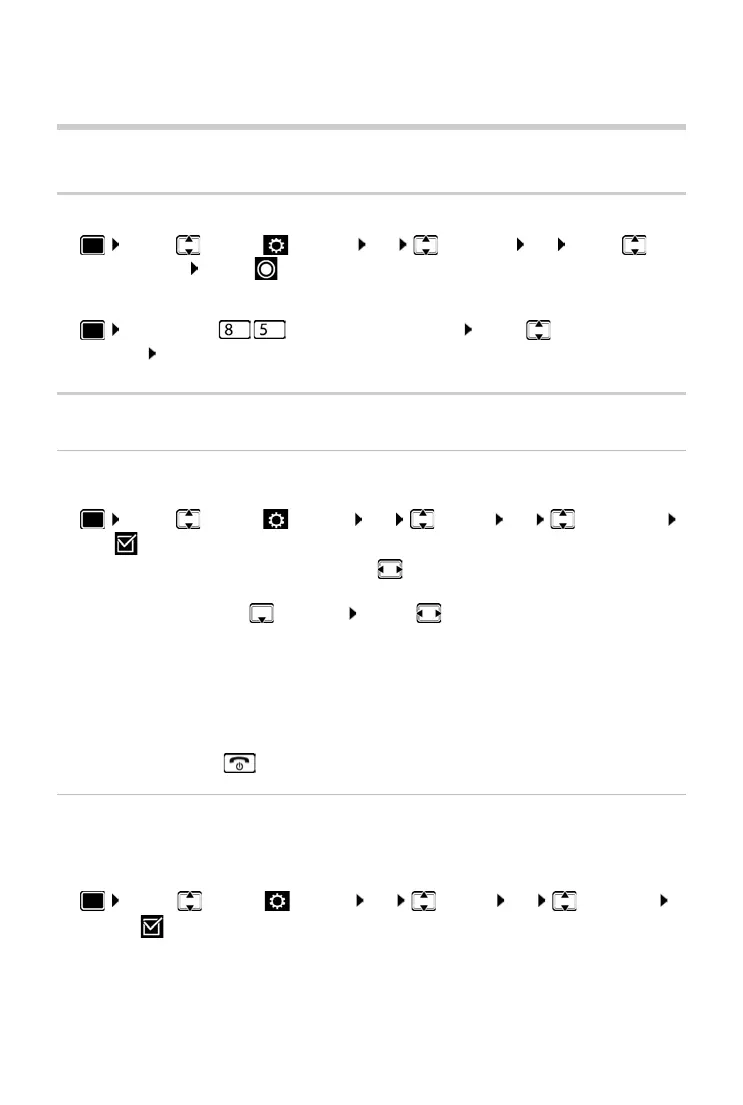
Changing the language
¤ . . . use to select Settings OK Language OK . . . use to
select language Selec
t ( = selected)
If the handset has been set to an incomprehensible language:
¤ Press the keys slowly one after the other . . . use to select the correct
language press the right display key
Display
Screensaver
A digital or analogue clock can be selected to be displayed as a screensaver when in idle status.
¤ . . . use to select Settings OK Display OK Screensaver
Edit ( = on) . . . then
The screensaver is activated approx. 10 seconds after the display has changed to idle status.
End screensaver
¤ Press the End call key briefly . . . the display changes to idle status
Large font
Show text and icons in call lists and in the directory in a larger size in order to improve legibility.
Only one entry is shown in the display and names are abbreviated if necessary. The number is
displayed in large font when it is dialled.
¤ . . . Use to select Settings OK Display OK Large Font
Change ( = activated)
Switch on/off:
¤ Activation: . . . use to select On or Off
Select screensaver:
¤ Selection . . . use to select a screensaver
(Digital Clock / Analog Clock )
View screensaver:
¤ View
Save selection:
¤ Save



 To Next Page