Gigaset E370A / LUG UK-IE en / A31008-M2841-L101-1-7619 / settings_HS.fm / 9/14/17
Template Go, Version 1, 01.07.2014 / ModuleVersion 1.0
Handset
51
Colour scheme
You can choose from a range of colour combinations for the display.
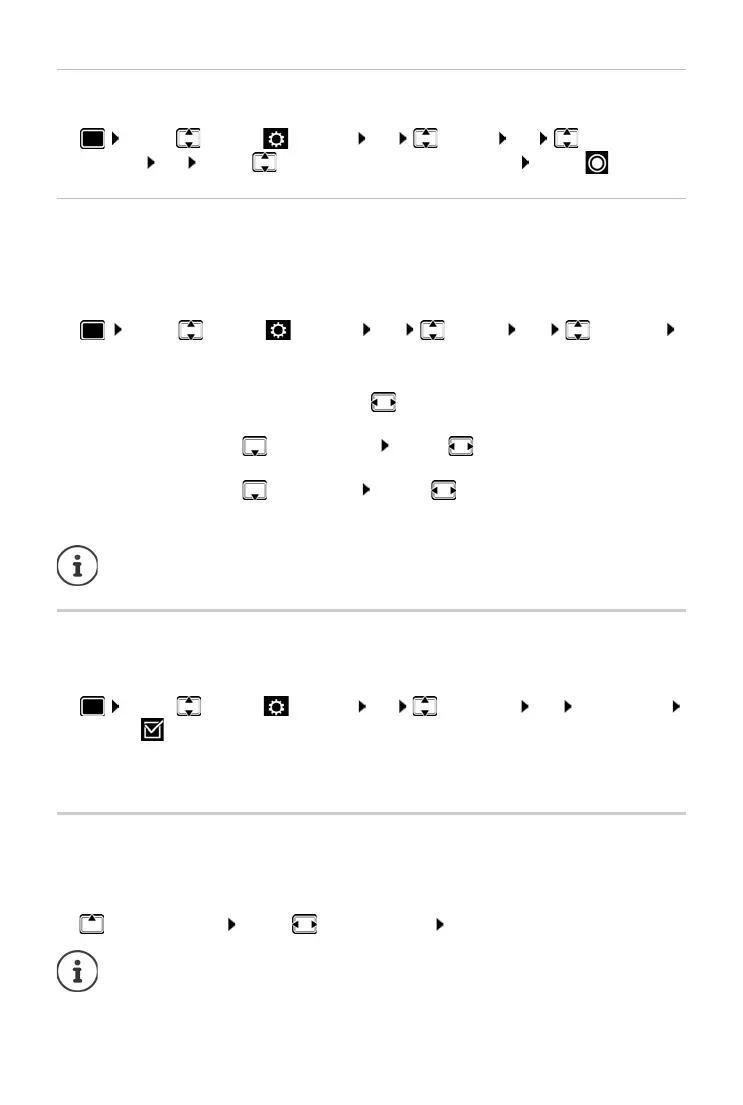
¤ . . . use to select Settings OK Display OK Colour
Schemes OK . . . use to select the desired colour scheme Se
lect ( = selected)
Display backlight
The display backlight always illuminates when the handset is taken out of the base station/
charging cradle or when a key is pressed. Any digit keys that are pressed appear on the display
for pre-dialling.
Switch the display backlight on/off when in idle status:
¤ . . . use to select Settings OK Display OK Backlight
OK . . . then
Activating/deactivating Auto Answer
When set to Auto Answer, the handset accepts an incoming call as soon as it is removed from the
charging cradle.
¤ . . . use to select Settings OK Telephony OK Auto Answer
Change ( = on)
Regardless of the Au
to Answer setting, the connection ends as soon as you place the handset
back in the charging cradle.
Changing the earpiece and handsfree volume
You can set the volume of the earpiece and speaker at 5 levels independently of each other.
During a conversation
¤ Handset Volume . . . use to select volume Save . . . the setting is saved
Backlight when in the charging cradle:
¤ In Charger: . . . use to select On or Off
Backlight when not in the charging cradle:
¤ Out of Charger . . . use to select On or Off
Backlight during a call:
¤ In Talk State . . . Use to select On or Off
Save selection:
¤ Save
The handset's standby time may be significantly r
educed if the display backlight is
switched on.
Without saving, the setting is automatically saved after around 3 seconds.



 To Next Page