48
Template Go, Version 1, 01.07.2014 / ModuleVersion 1.0
Operation with a router
Gigaset E370A / LUG UK-IE en / A31008-M2841-L101-1-7619 / extending.fm / 9/14/17
Registering a repeater
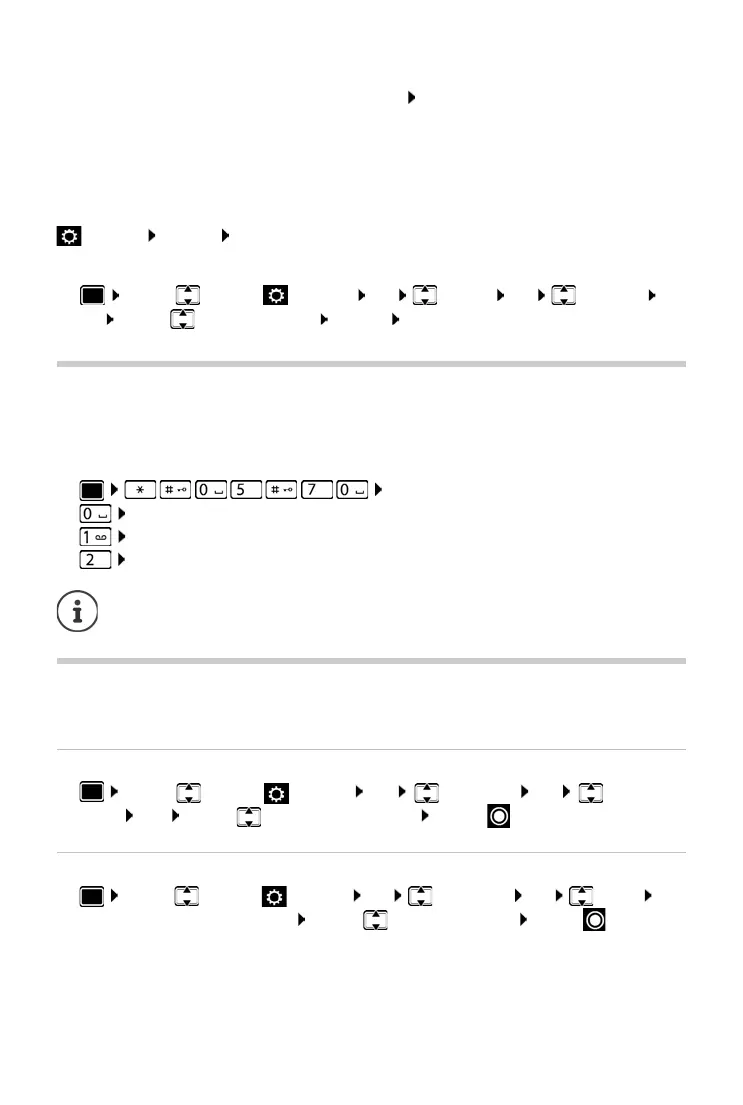
¤ Connect the repeater to the mains power supply Press and hold the Registration/paging
key on the telephone base station (min. 3 secs) . . . the repeater is automatically registered
Up to 2 repeaters may be registered.
The ECO DECT function M
aximum Range is activated and the No Radiation function is
deactivated. The settings cannot be changed whilst the repeater is registered.
As soon as a repeater is registered, it will
appear in the repeater list under
Settings Syste
m Repeater
De-registering a repeater
¤ . . . use to select Settings OK System OK Repeater
OK . . . use to
select repeater De-reg. Yes
Operation with a router
When operating on the analogue connection of a router, any echoes that may occur can be
reduced by activating XES mode 1 (XES = eXtended Echo Suppression).
If the XES mode 1 doe
s not sufficiently suppress the occurring echoes: activate XES mode 2.
¤ . . . press one of the following keys
OK
Normal mode
OK XES mode 1
OK XES mode 2
Operation with a PABX
To find out which settings are required for a PABX, please refer to the PABX user guide.
Setting Tone or Pulse dialling mode
¤ . . . use to select Settings OK Telephony OK Dialling
Mode OK
. . . use to select Tone or Pulse Select ( = selected)
Setting the flash time
¤ . . . use to select Settings OK Telep hony OK Recall OK
. . . possible flash times are listed . . . use to select flash time Se
lect ( = selected)
If there are no problems with echoes, the normal
mode (factory settings) should be
activated.



 To Next Page