28
Template Go, Version 1, 01.07.2014 / ModuleVersion 1.0
Call lists
Gigaset E370A / LUG UK-IE en / A31008-M2841-L101-1-7619 / call_list.fm / 9/14/17
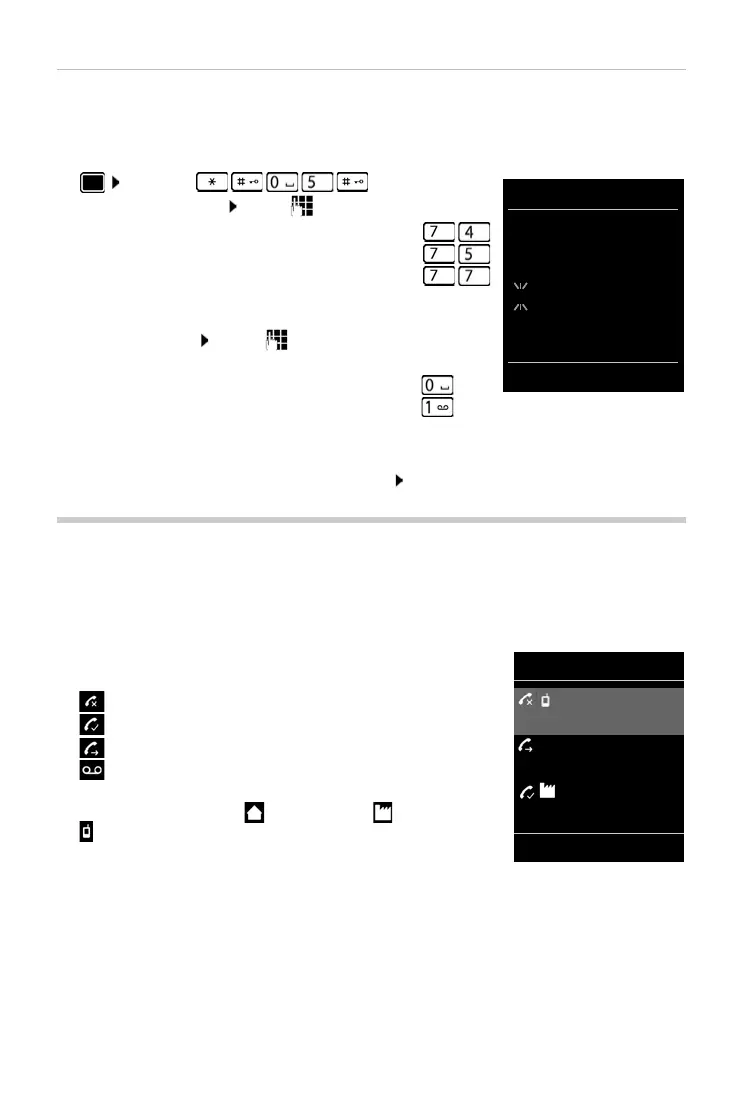
Activating/deactivating Message key flashing
Receipt of new messages is displayed by a flashing message key on the handset. This type of
alert can be activated/deactivated for each message type.
In idle status:
¤ Press keys . . . the number 9
appears in the display . . . use to selec
t the message type:
. . . the number 9 followed by the entry (e.g. 975) is displayed,
the cu
rrent setting for the select message type flashes in the
entry field (e.g. 0) . . . use to set the action for the arrival
of new messages:
¤ . . . confirm selected setting with OK
or
¤ return to idle display without making changes: Back
Call lists
The telephone saves different types of calls (missed, accepted and outgoing calls) in lists.
List entry
The following information is displayed in the list entries::
• The list type (in the header)
• Icon for the type of entry:
Missed calls,
Accepted calls,
Outgoing calls,
Call on the answer machine
• Caller's number. If the number is stored in the directory, the
name and number type ( Ph
one (Home), Phone (Office),
Phon
e (Mobile)) are shown instead. In the event of missed
calls, the number of missed calls from this number is also shown
in squa
re brackets.
• Date and time of call (if set)
Messages on the network mailbox
¤
missed calls
¤
Messages on the answer machine
¤
The Message key flashes
¤
The Message key does not flash ¤
All calls
Frank
Today, 15:40
[3]
089563795
13.05.17, 18:32
Susan Black
12.05.17, 13:12
View Options
Example



 To Next Page