Gigaset E370A / LUG UK-IE en / A31008-M2841-L101-1-7619 / settings_BS.fm / 9/14/17
Template Go, Version 1, 01.07.2014 / ModuleVersion 1.0
System
57
Setting the base ringtone
Changing the system PIN
Secure the telephone's system settings with a system PIN. You have to enter the system PIN
when you register or de-register a handset, change local network settings, perform a firmware
update or reset the phone to default settings.
Change the telephone's 4-digit system PIN (default setting: 0
000):
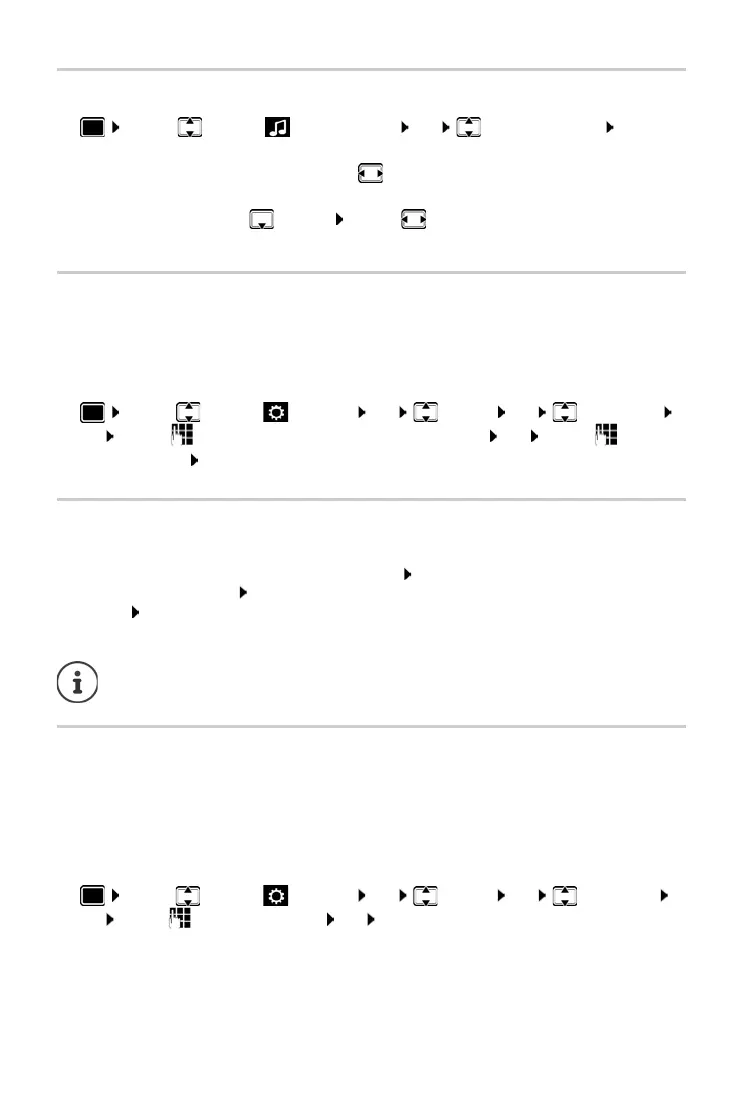
¤ . . . use to select Settings OK System OK System PIN
OK . . . use to enter the current PIN (if other than 0000) OK . . . use to enter
new system PIN Sa
ve
Resetting system PIN
Resetting the base station to the original PIN 0000:
¤ Unplug the network cable from the base station Press and hold the Registration/Paging
key on the base station At the same time reconnect the network cable to the base
station Press and hold the key for at least 5 secs . . . the base station is reset and the system
PIN is set to 0
000
Restoring the phone to default settings
When the settings are reset
• the date and time are retained,
• handsets are still registered,
• the system PIN is retained,
• Maximum Range is activated and No Radiation is deactivated.
¤ . . . use to select Settings OK System OK Base Reset
OK . . . use to enter system PIN OK Ye
s . . . the base station is restarted. The restart
takes around 10 seconds.
¤ . . . Use to select Audio Settings OK Ringtones (Base) OK . . .
then
Set the volume:
¤ Volume: . . . Use to set the volume at 5 levels or set a crescendo
(rising volume).
Set the ringtone:
¤ Melody . . . Use to select the ringtone
Save the setting:
¤ Save
All handsets are de-registered and must be re
-registered. All settings are returned to
default settings.



 To Next Page