41
Gigaset E560A / LUG GBR en / A31008-M2708-L101-1-7619 / extending.fm / 7/14/16
Template Go, Version 1, 01.07.2014 / ModuleVersion 1.0
Using multiple handsets
Locating a handset ("Paging")
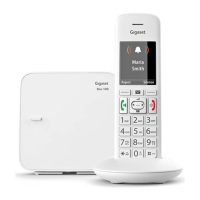
You can locate your handset using the base.
¤ Briefly press the registration/paging key on the base ( p. 2).
¤ All handsets will ring at the same time ("paging"), even if the ringers are switched off.
Ending paging
Briefly press the registration/paging key on the base ( p. 2) or press the talk key on
the handset.
Listening in to an external call
You want to listen in to an existing external call.
Prerequisite: The Listening In function must be activated.
Activating/deactivating the function:
¤ Menu Settings OK Te lep ho ny OK Listening In OK (=on)
Listening in to the call:
Long press of the talk key on the handset. All participants hear a signal tone. Conf. Call is
shown on the handset display.
Ending listening in:
Press the end call key on the handset; all participants hear a signal tone.
If the first internal participant presses the end call key , the handset that has "listened in"
remains connected to the external participant.



 To Next Page