42
Template Go, Version 1, 01.07.2014 / ModuleVersion 1.0
Handset settings
Gigaset E560A / LUG GBR en / A31008-M2708-L101-1-7619 / settings_HS.fm / 7/14/16
Adjusting the telephone
Handset settings
You can change the settings on your handset to suit your individual requirements.
Setting the date and time
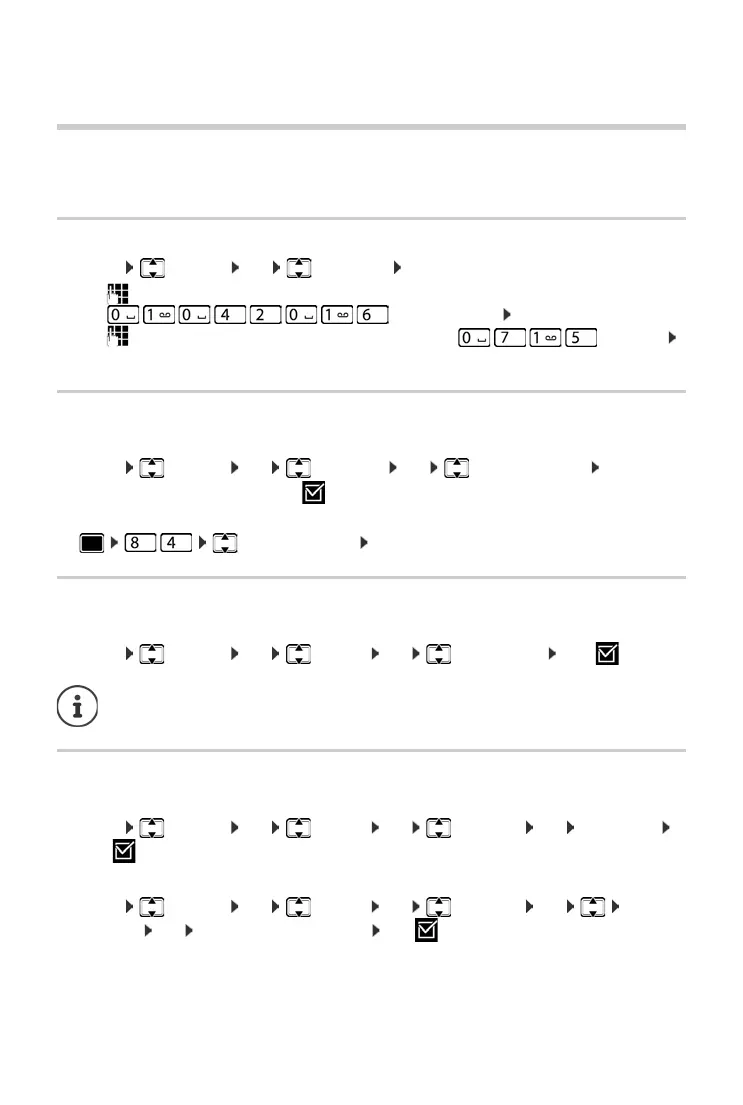
¤ Menu Settings OK Date/Time OK
¤ use to enter the day, month and year in 8-digit format,
e.g. for1 April 2016. OK
¤ use to enter hours and minutes in 4-digit format, e.g. for 07:15
OK
Changing the display language
You can view the display texts in different languages.
¤ Menu Settings OK Language OK (Select language) OK
The current language is indicated by .
If you accidentally choose a language you do not understand:
¤ (Select language) OK
Setting jumbo font
You can improve the legibility of the digits when you dial.
¤ Menu Settings OK Display OK Big Dial Font OK (=on).
Changing the display lighting
Handset in the charging cradle:
¤ Menu Settings OK Display OK Backlight OK In Charger
OK (=on)
or off the charging cradle:
¤ Menu Settings OK Display OK Backlight OK Out of
Charger OK Standby time is reduced OK (=on).
When this function is deactivated, both the date and time are shown in idle status.



 To Next Page