Template Module, Version 2, 20.02.2020,
Handset
Gigaset E720-E720A / LUG_Kombi CH en / A31008-M2903-F101-1-2X19 / settings_HS.fm / 4/21/20
78
Ringtone melody
Set different ringtones for internal and external calls.
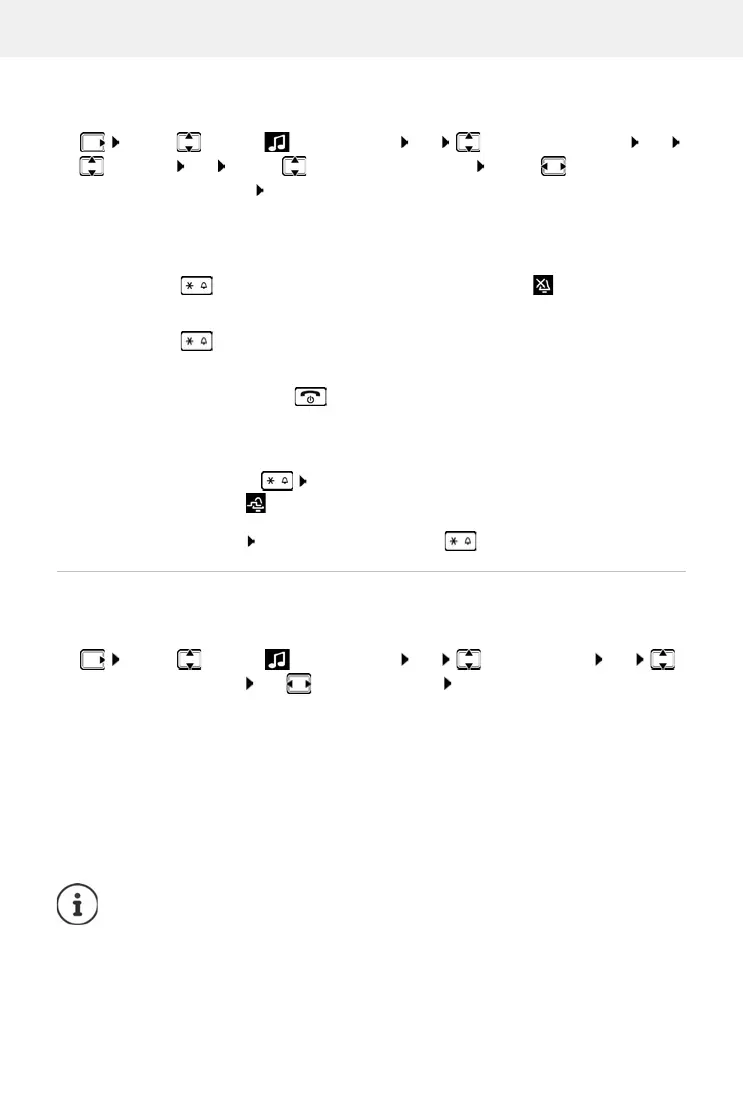
¤ . . . use to select Audio Settings OK Ringtones (Handset) OK
Melodies OK . . . use to select the connection . . . use to select the ring-
tone/melody in each case Save
Switching the ringtone on/off
Switching the ringtone off permanently
¤ Press and hold . . . the following icon appears in the status bar
Switching the ringtone on permanently
¤ Press and hold
Switching the ringtone off for the current call
¤ Press Silence or the End call key
Switching the alert tone (beep) on/off
Switch on an alert tone (beep) instead of the ringtone:
¤ Press and hold the star key Press Beep within 3 seconds . . . the following icon
appears in the status bar
Switching off the alert tone: Press and hold the star key
Switching advisory tones on/off
The handset notifies acoustically about different activities and statuses. These advisory tones
can be switched on/off independently of each other.
¤ . . . use to select Audio Settings OK Advisory Tones OK
Select the advisory tone use to select On or Off Save
You can select the following advisory tones:
Key Tones Tone when keys are pressed
Confirmation Confirmation/error tone after making entr
ies, advisory tone when a
new message has been received
Battery Warning tone when there are fewer than 10 minutes of talk time
re
maining (every 60 seconds)
Out of Range Warning tone when the handset is moved out of range of the base
There is no battery warning when the baby monitor is switched on.



 To Next Page