63
Issue: 8 (Applies to firmware 2387 6.09 onwards)
Document number: 1390-PS-0039
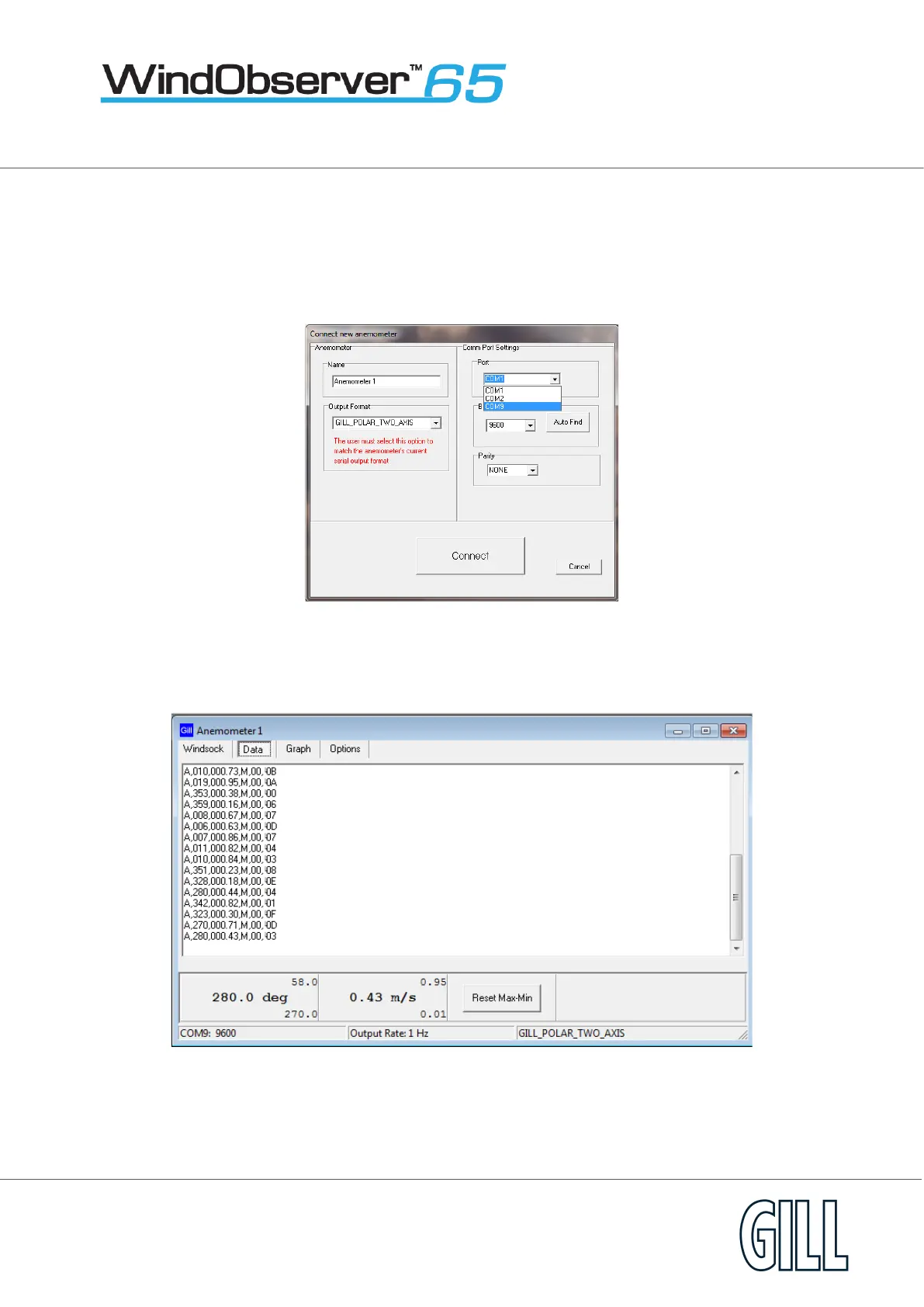
From the Port drop down menu select the PC COM Port to which the WindObserver is connected to e.g. COM 9.
Select the Baud rate setting from the drop down menu to match that of the Windobserver, the WindObserver default
baud rate is 9600 baud.
Leave Parity setting at none.
Click on Connect.
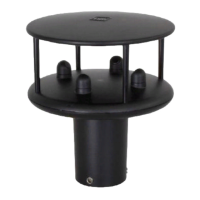
The Data button screen will show the WindObserver data scrolling on screen updated at the WindObserver Output rate.


 To Next Page