67
Issue: 8 (Applies to firmware 2387 6.09 onwards)
Document number: 1390-PS-0039
Appendix L - Maintenance & Fault-Finding
Cleaning and Handling
When installing the unit handle with lint free gloves and degrease the unit to reduce the build-up of deposits.
If there is any build-up of deposit on the unit, it should be gently cleaned with a cloth, moistened with soft detergent.
Solvents should not be used, and care should be taken to avoid scratching any surfaces. The unit must be allowed to
defrost naturally after being exposed to snow or icy conditions, do NOT attempt to remove ice or snow with a tool.
Do NOT remove black “rubber” transducer caps.
Servicing
There are no moving parts or user-serviceable parts requiring routine maintenance.
Opening the unit or breaking the security seal will void the warranty and the calibration.
In the event of failure, prior to returning the unit to your authorised Gill distributor, it is recommended that:
All cables and connectors are checked for continuity, bad contacts, corrosion etc.
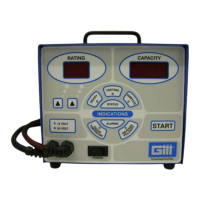
A bench test is carried out as described on page 68
Contact your supplier for advice if failure persists.
Symptom Solution
No output
Check DC power to WindObserver 65, cable and connections.
Check comms settings of WindObserver 65 (as detailed in Appendix F) and host system
match, including correct Com port.
Check unit is in Continuous mode.
Check that in-line communication devices are wired correctly.
NOTE: It is usual for Anemometer TX + to be connected to converter device RX +.
Corrupted output
Check comms settings of WindObserver 65 and host system match.
Try a slower baud rate.
Check cable lengths and type of cable.
One way communication
Check wiring is in accordance with the manual.
WindObserver 65 output,
data invalid flag
Check that transducer path is not blocked.


 To Next Page