G10
9
Figure 2-8
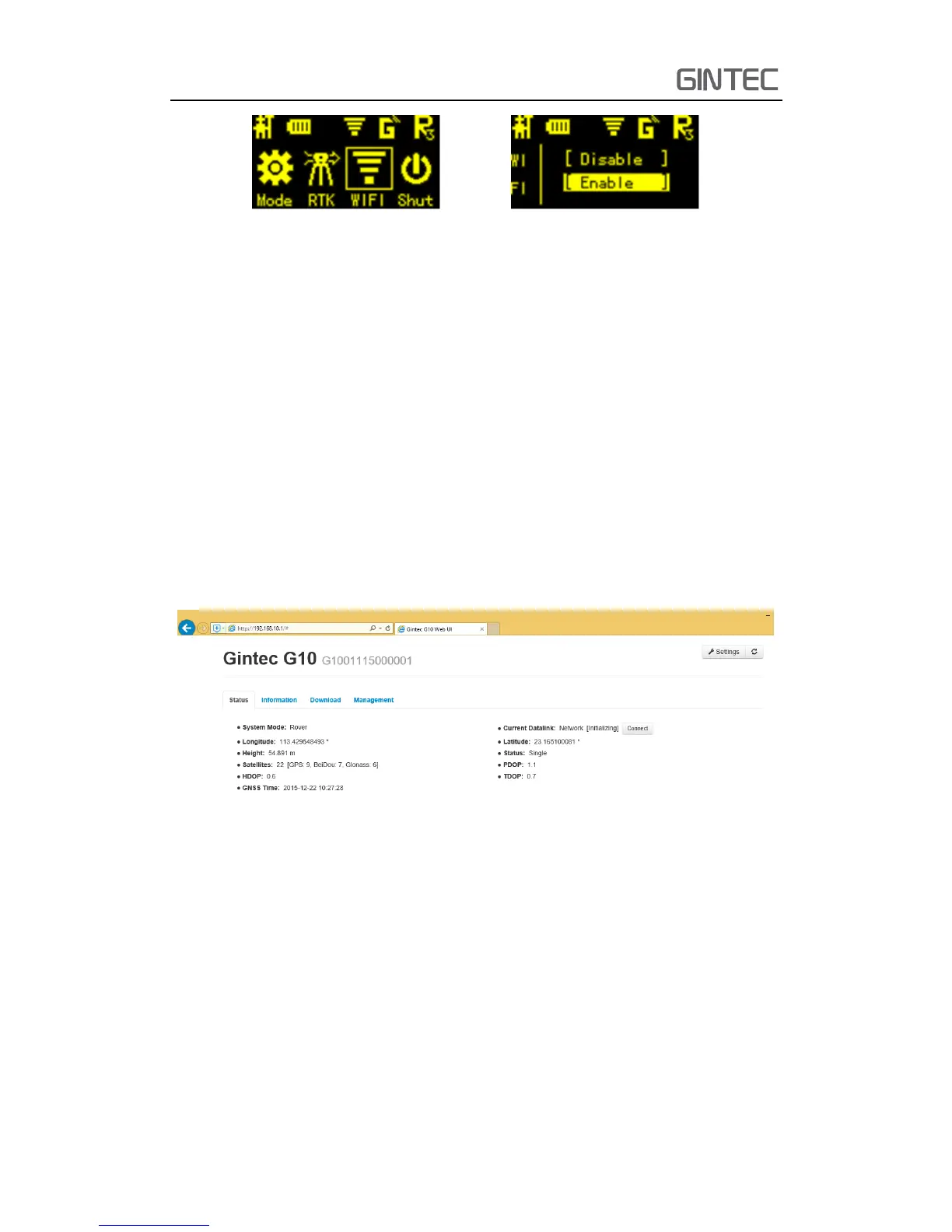
After connecting the WIFI, input IP “192.168.10.1” into your web browser to open.
Then it will pop up a window. It ask for log account and password, default is:
Account: admin Password: password
The WEB UI contains Status, Information, Download, Management, and Settings.
It also can show the device number in the web.
2.3.1 Status
In Status, you can see the current work status of the receiver, some basic
information. Such as system mode, coordinate, satellites, solution and so on. The
detailed information you can see from the picture.
Figure 2-9 Status
2.3.2 Information
Then it’s the “Information”, this menu shows the information inside the receiver,
such as firmware version of the receiver, GPS firmware version, UHF mode information,
GSM mode information, and so on.



 To Next Page