G10
18
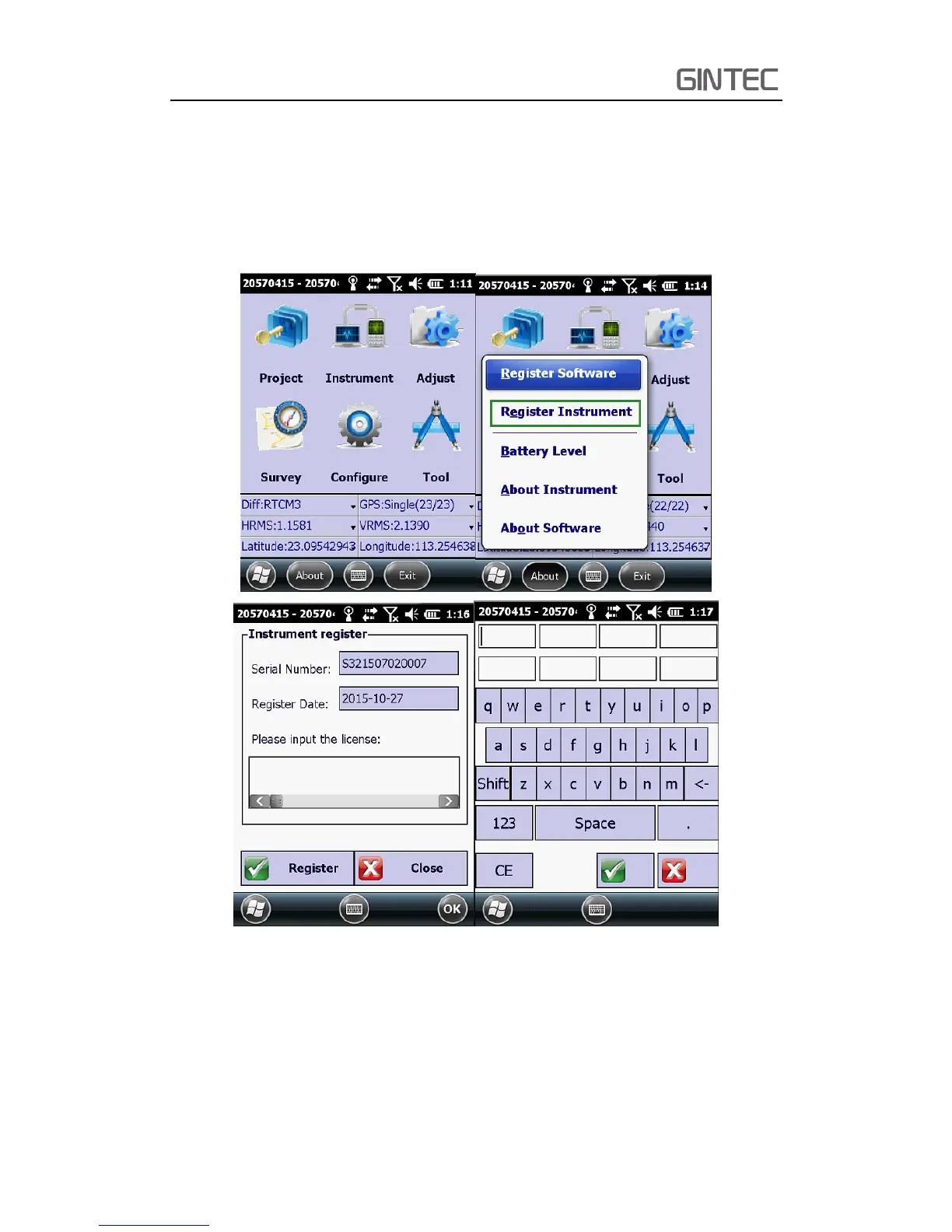
2.4.2 Register via Controller
Connect to G10 with our software E-Survey, then it will shows as follow, click
“About”. In next window, you can see “Register Instrument”, click it. The last step is
inputing the code, then finish registeration.
Figure 2-22 Registration via controller
2.5 Upgrade firmware
Usually, we release a new firmware to solve the device question that had been
found. So upgrade firmware is a basic and important step. As we said before, we do



 To Next Page