G10
19
this also via WEB UI function.
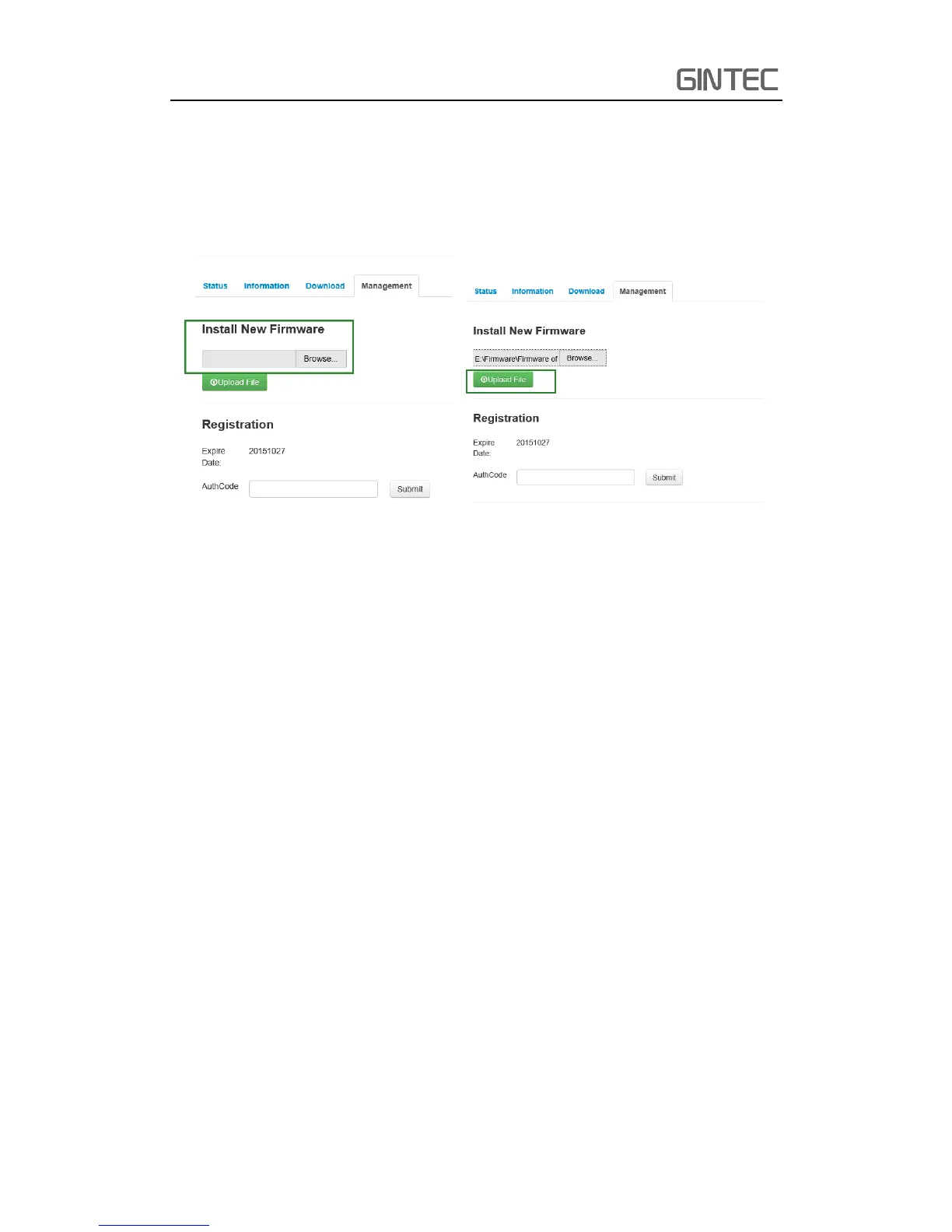
Connect to the device WIFI, then find “Management”, we can see “Install New
Firmware”. Click “Browse” to select new version of firmware. After selecting the right
one, click “Upload File” to finish upgrade.
Figure 2-23 Update Firmware
2.6 Measure the antenna height
When we use G10 collect static data or set G10 on a known point as a base station,
the antenna height should be measured. Antenna height is actually the vertical height
of the phase center to ground measurement point. But there are differences between
different measure methods.
Base and Static mode antenna height measurement: You can measure from the
ground to the up of the mainframe rubber ring, in this situation, you should select
“Slant height to the measuring line”. In the standard configuration, it has an altimetry
piece, so you also can measure from the ground (known point) to altimetry piece. In
this situation you should select “Height to altimetry piece”.
Rover mode antenna height measurement: Measure methods of rover mode
includes pole height, straight height and slant height.
(1) Pole height, the height of the carbon pole, we can read it from the pole, then
input into the software
(2) Straight height, straight height it’s the antenna phase center height. Straight



 To Next Page