G10
24
Chapter 4 Tilt Survey
Tilt survey is the technical function of G10, It is a very practical function. Before
make tilt survey, there are some accessories are necessary. It includes 1 G10 receiver,
1 carbon pole, quick connector, mini rotary table and a controller with eSurvey
software. Then it’s “Sensor Calibrate”, sensor calibrate contains “Horizontal”, “Azimuth”
and “Declination”.
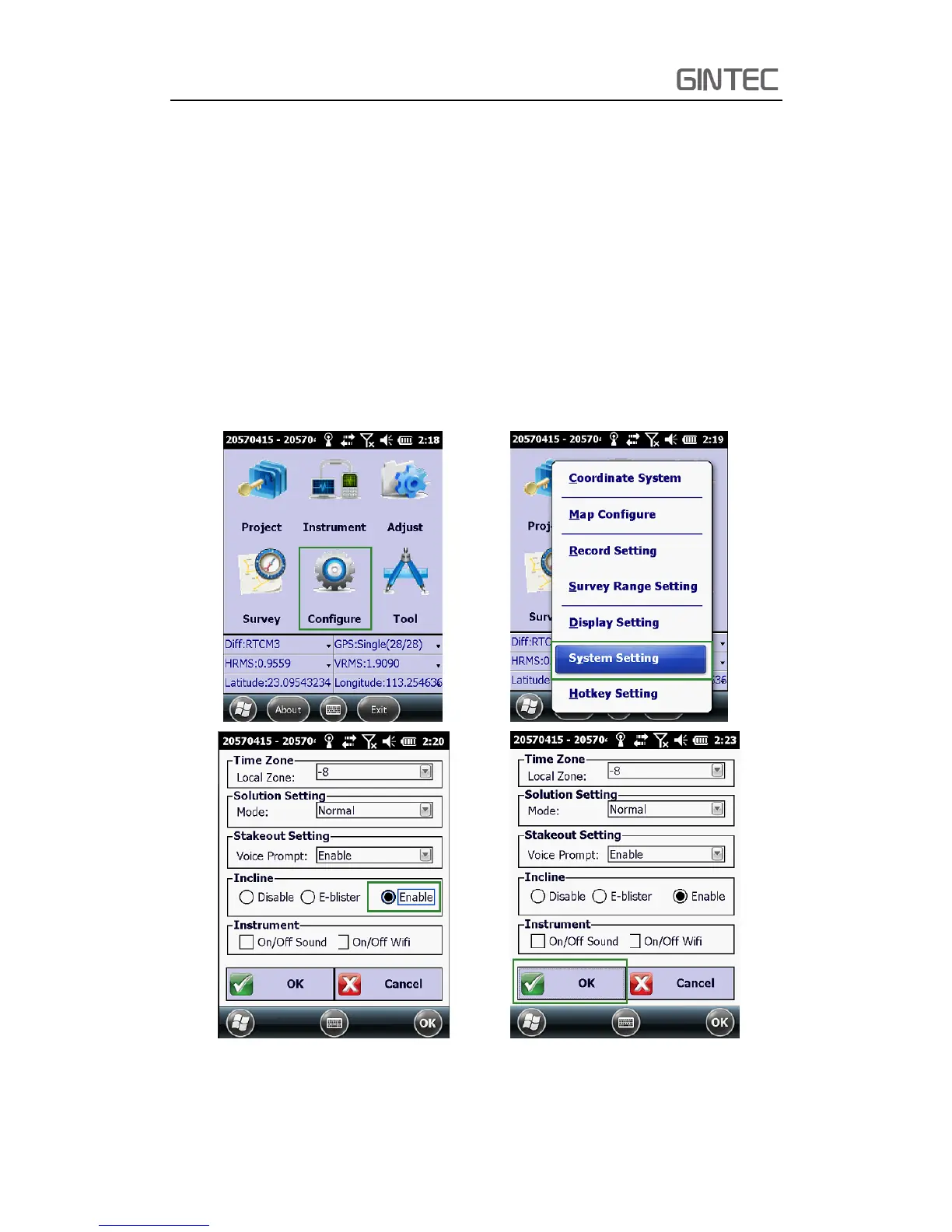
4.1 Activate tilt survey function
Connect to G10 receiver with controller via E-Survey software, then click
“Configure—System Setting---Select Enable in Incline”.
Figure 4-1



 To Next Page