G10
12
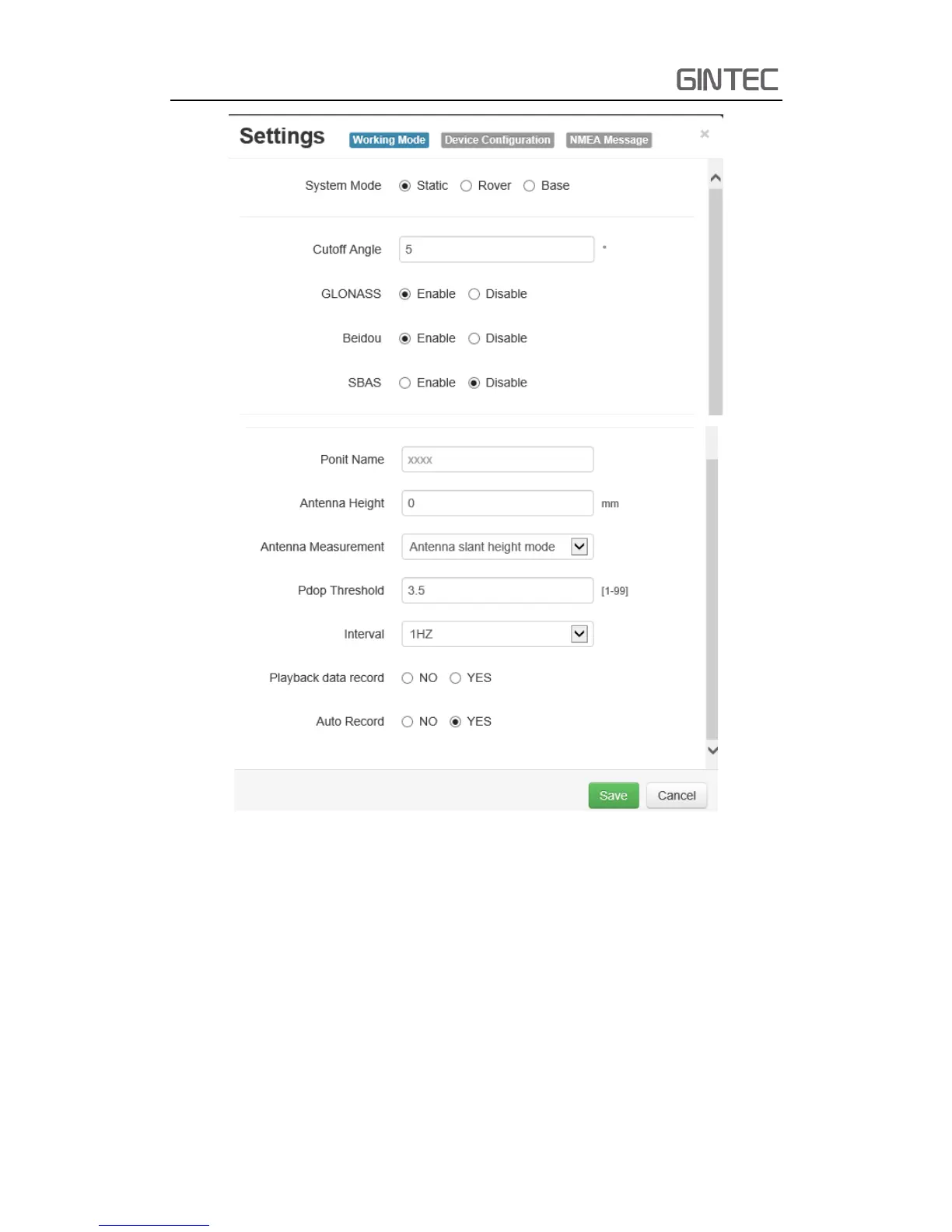
Figure 2-13 Static mode
(b) Rover Mode
In rover mode, you can select different datalink. Different datalink also
has different options can be edited. The datalink includes UHF, Network,
External and Bluetooth.
If you select UHF mode, then you can select radio channel and radio protocol
as you want. You also can select whether store the raw data. One important
thing, channel 8 is used for inputting, you can input the frequency you want,
but channel 1-7 can’t be edited. The interface is as follow:



 To Next Page