14
Z.DISC
•
W
(weight): This option programs the weight within which the equipment determines that the dosage has been finished, (maximum of
possible waste weight that may stay without the alarm ringing)
•
T
(timer): Time waste of material, if the weight on the screen does not vary in this space of time, it is going to activate the relais of
alarm (RL4).
ENABLE
It exits from the menu of dosage and asks to the user if he wants to get start doing the dosage. To start doing the dosage appears on the
display the legend
- dos ON -
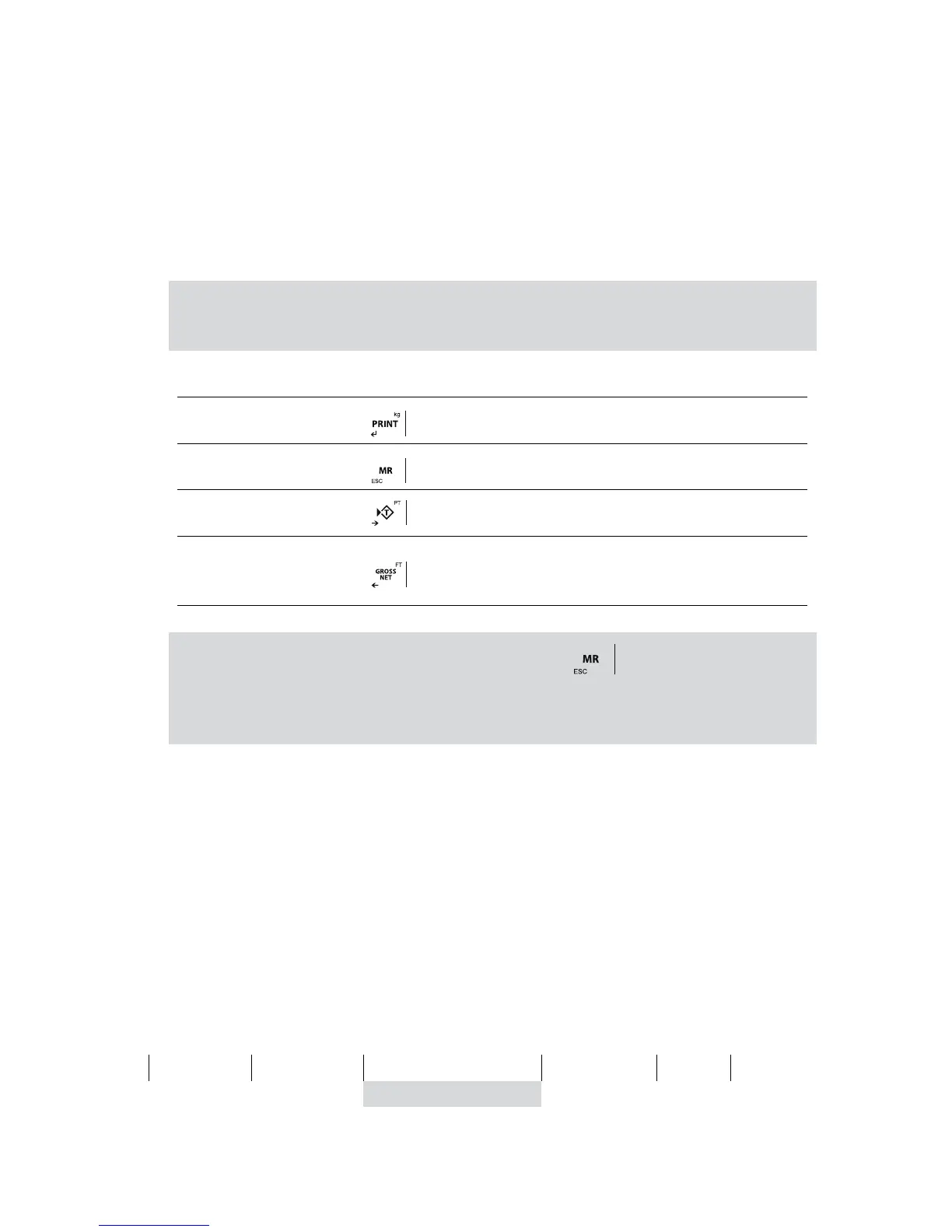
The keys will do the functions specified below:
Note:
The value of timers must be bigger than 000,0 s. for assure the capacity of activate the alarm (RL4). If you want that
RL4 (alarm) will never be activated, keep timers to 0s.
ENTRANCE EXT. KEY INDICATOR FUNCTION
INPUT 1
START key
INPUT 2
STOP Key
INPUT 3
RESTART key
INPUT 4
ABORT key / exits from the DOSI function and goes back to
the normal mode. You need to press two times if you use the
indicator key.
Note: In the event that the alarm relay (RL4) is activated, press the key and then restart key to continue the
process where it was interrupted.
To dispense a single product, it is necessary to leave the Prod 1W to 0 and set the weight to be dosed in the Prod
2W
4.13 LIMITS LIMIT
THEY ONLY WORKS WITH THE OPTIONAL RELAYS BOARD
The equipment is able and thought to manage automatically up to 4 limits through registers of weight for each one of them.
These registers are called
• Start
• Low Limit (Low.L.)
• High Limit (High. L.)
• Alarm
The associated relays is always activated when the weight of the scale is placed between the two limits.
0
Start
i
Low limit
nf (inferior)
High Limit
Alarm
OL
relés OFF RL 1 RL 2 RL 3 RL 4 relés OFF
OK
As each relay is in fact a commute circuit, taking the normaly closed contacts, the user is going to obtain the inverse sign of the previous figu-
re. When we go to the function of the programming of limits (
LiMitE
), the following menu is going to appear on the screen:



 To Next Page