USER MANUAL
Range BEAT-Tr
Edition: January 2016
Revision: No. 3
MACHINE’S DESCRIPTION - 13
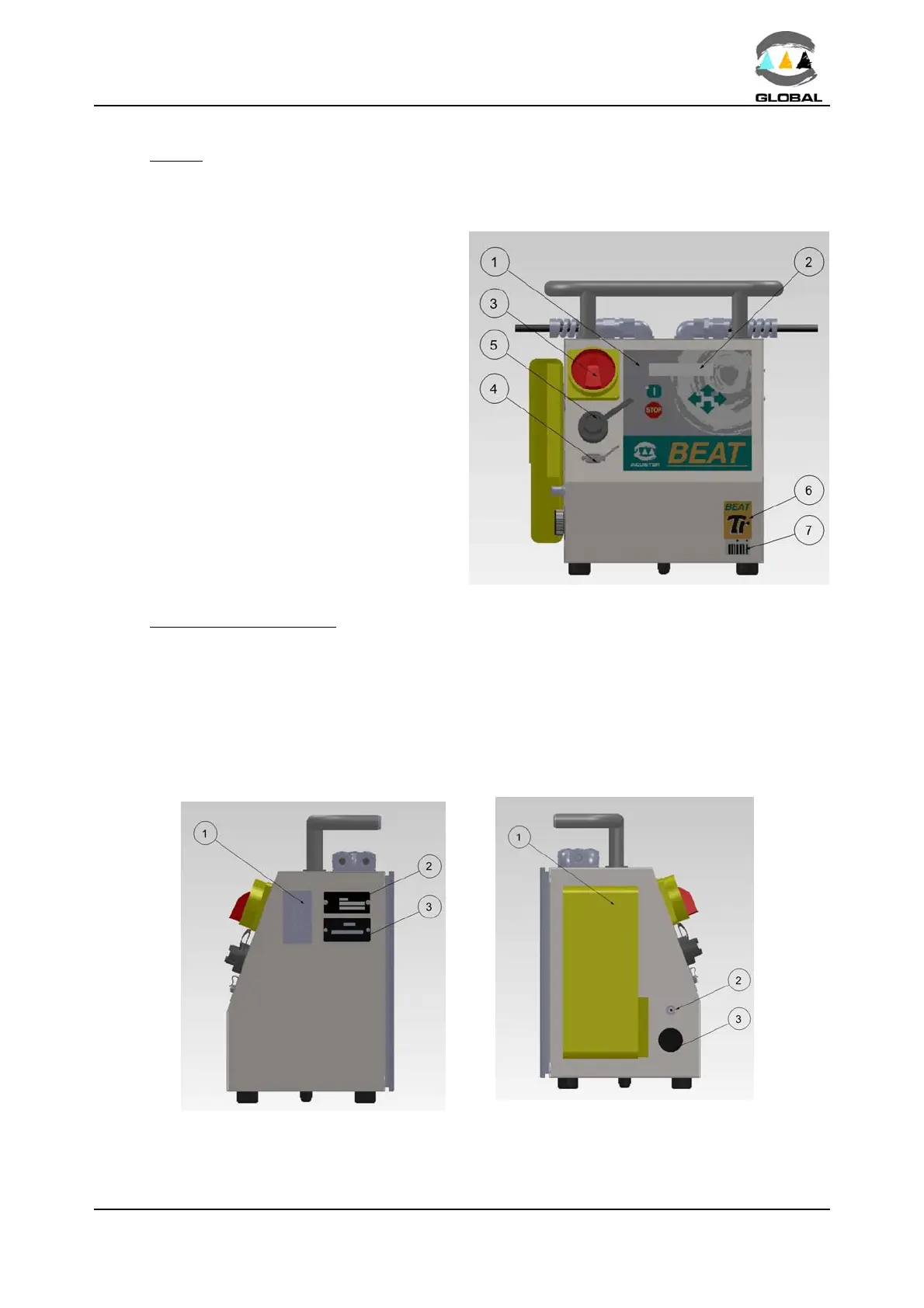
2.2 FRONT
The front part of the electrofusion unit is formed by a silkscreened plastic membrane
which incorporates membrane type tactile push-buttons. The display is located on the
upper left side.
Where:
1 Membrane with push-buttons
2 Display
3 Master switch
4 Connector D-sub 9 pins
5 Connector USB/A
6 Adhesive of model: Tr
7 Adhesive MINI
(for MINI BEAT-Tr only)
Figure 4
2.3 RIGHT AND LEFT SIDES
On the right and left sides of the electrofusion unit (looking at it from the front), the
following elements are located:
Where: Where:
1 Technical specifications sticker 1 Document holder bag
2 “CE” plate 2 RT sensor
3 Service revisions plate 3 Buzzer
Figure 5a: Right side Figure 5b: Left side



 To Next Page