German Light Products®
Rev. 20220720-01 19
● Max increases the PWM frequency to the highest possible frequency the fixture can
operate at. Use this setting for slow motion video or high speed camera
applications. Dimming resolution at the Max setting is the least smooth when
compared with the other PWM settings.
Note that a higher PWM frequency may affect dimming performance. The PWM
frequency setting is stored in the fixture and is not affected by cycling power off and
on. However, it will be affected if you use the Factory Defaults command in the control
menus. As a rule, you should set all the fixtures in an installation to the same PWM
frequency in order to ensure the same performance.
You can set the PWM frequency using the control panel or the Special/Control DMX
channel.
Pixel mirror
The Pixel mirror setting lets you flip the fixture’s pixel layout on the x-axis, y-axis or both
x- and y-axis:
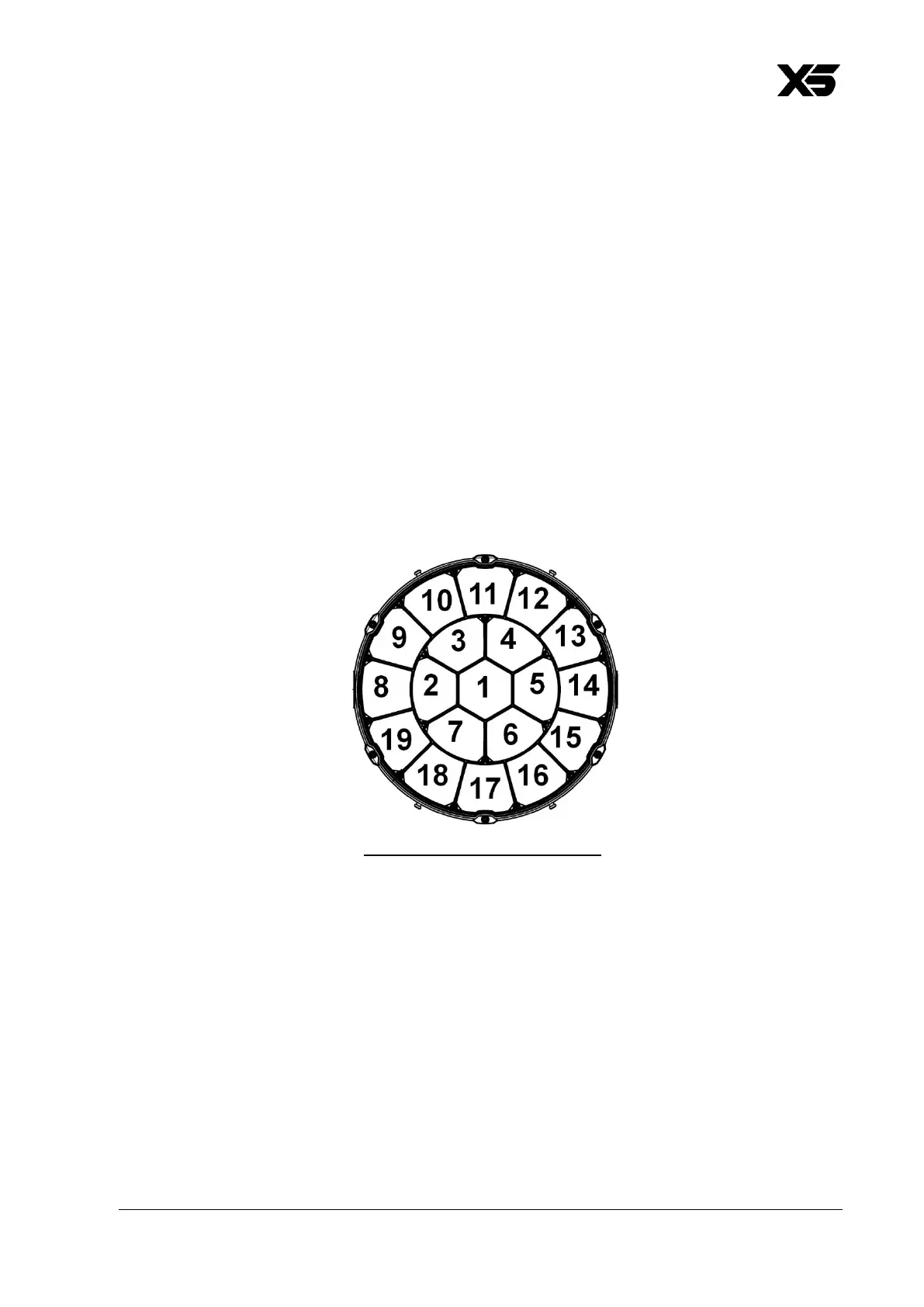
● Off gives the standard pixel layout:
The drawing above shows the pixel layout with the fixture standing on the ground,
pan at 50% (home position) and tilt at 50% (front).
● x-mirror flips the pixel layout along the x-axis.
● y-mirror flips the pixel layout along the y-axis.
● x:y mirror flips the pixel layout along the x-axis and the y-axis.
Pixel rotation
Lets you rotate the fixture’s pixel layout by: 0° – 60° – 120° – 180° – 240° – 300°.



 To Next Page