www.glp.de
42 impresssion X5 User Manual
9. DMX control channel layout
In the following DMX channel layout tables:
● Default settings are indicated with bold type.
● Where commands are followed by (3s hold) you must send that value continuously
for 3 seconds (or other duration if indicated in the table) to apply the command.
● Some commands on the Control / Settings channel require the DMX value zero to
be sent first and then moved directly to the DMX value required by the command
concerned.
Pixel positions
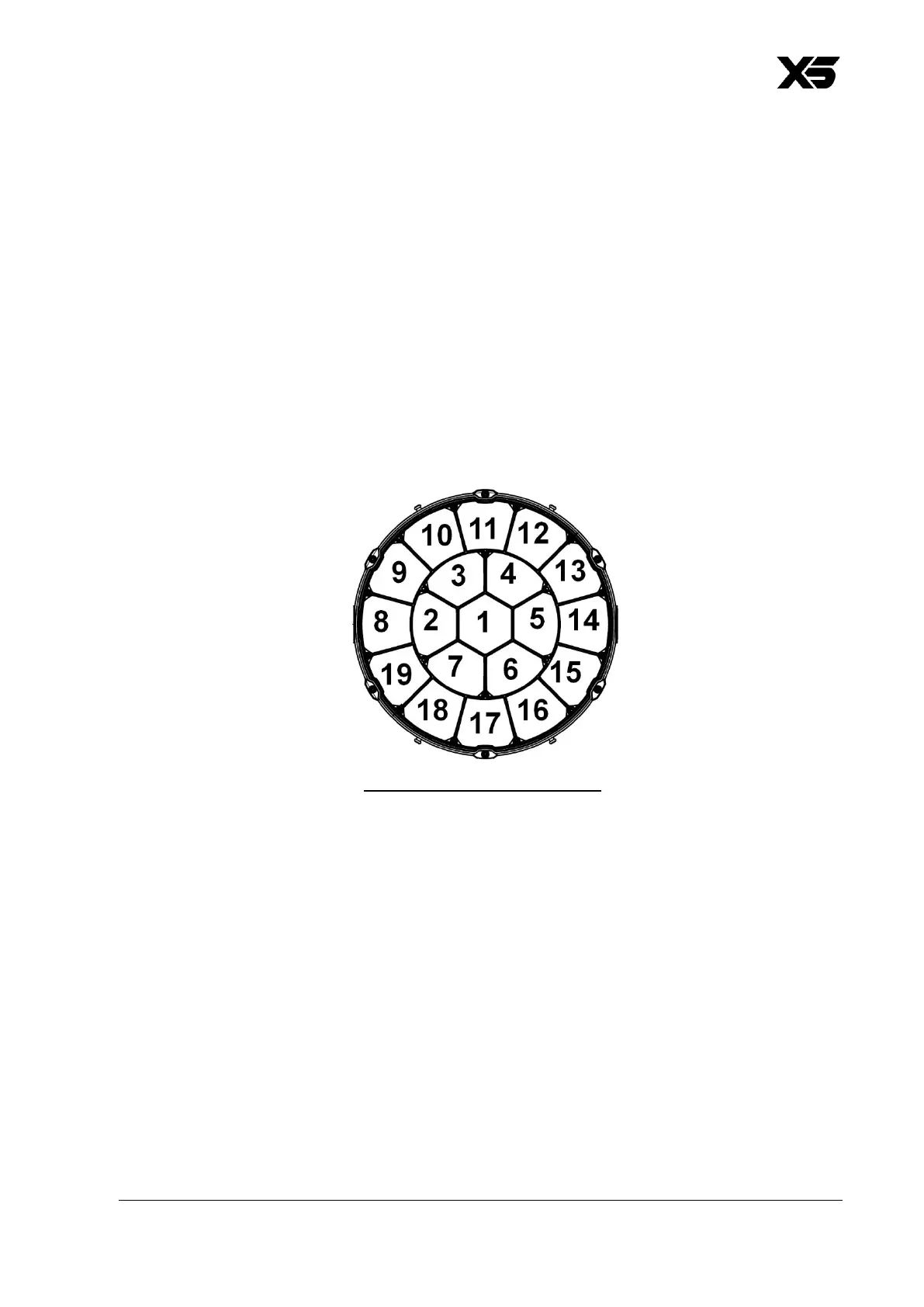
The X5 fixture’s standard pixel layout is as shown below:
The drawing above shows the standard pixel layout with the fixture standing on the
ground, pan at 50% (home position) and tilt at 50% (front).
Note that pixel rotation, x-axis pixel mirror and y-axis pixel mirror options are available
via DMX on the Control / Settings channel and using the menus in the fixture’s control
panel.



 To Next Page