PA G E 2 0 I N S T R U C T I O N M A N U A L T X 4 5 0 0
When viewing RX-Only channels, briefly press F then
ALPHA at any time to toggle between the channel
frequency and the Alpha name.
CONFIGURATION MENU
The configuration menu controls preset functions in
the radio.
To access the menu, press and hold the MENU key
until a beep is heard. Selected menu options are
displayed to the right of the channel display. Briefly
press the Menu key to step through the available
menu options. Rotate the Channel knob to change the
selected menu option. After viewing or making changes,
briefly press the PTT to exit the menu (or simply wait a
few seconds for the menu function to time-out).
The following settings are available.
Frequency/Alpha label
(only available on receive-only channels)
Allows editing of the channel frequency or Alpha label
of the selected receive-only channel.
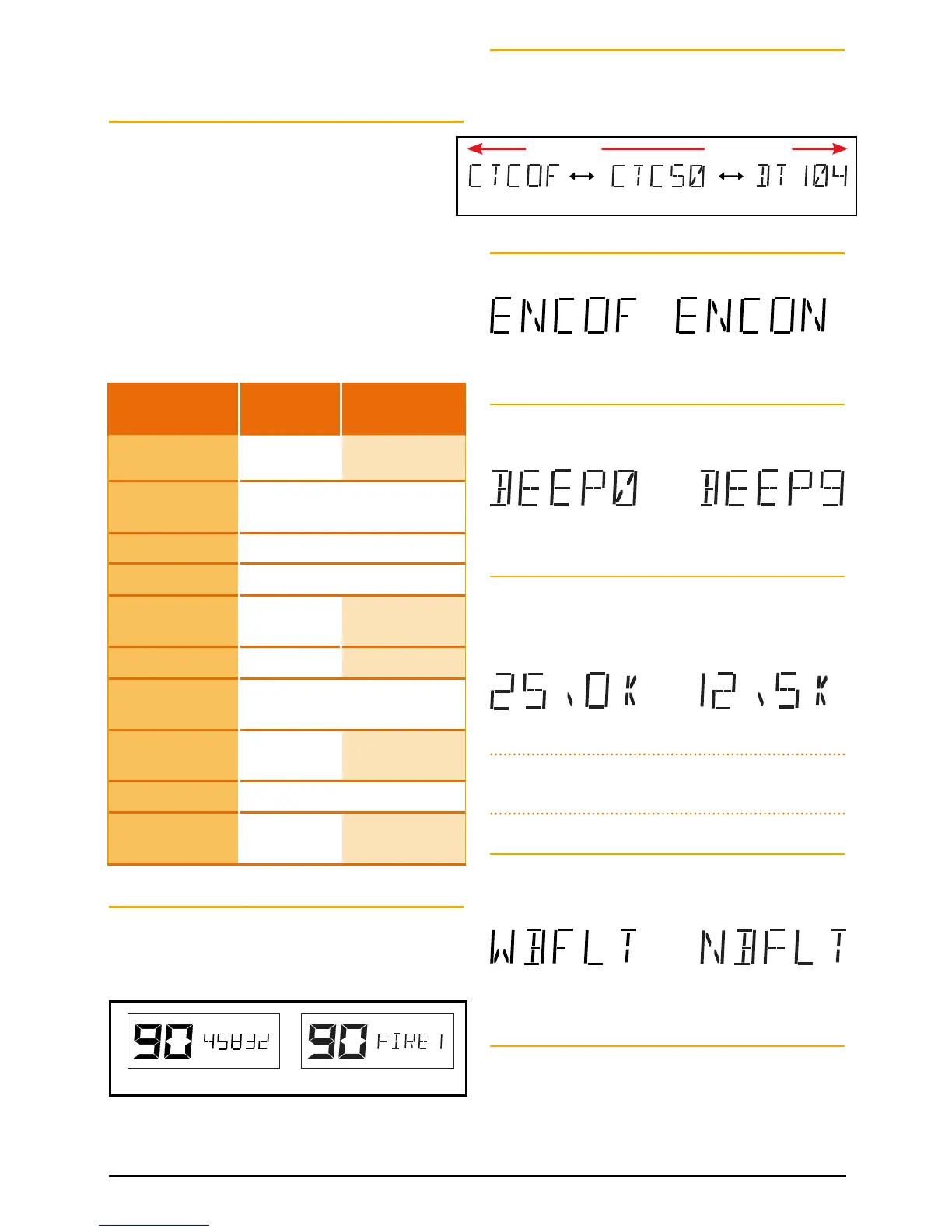
Frequency 458.325 MHz Alpha label “FIRE 1”
CTCSS/DCS tone selection
Enables and selects CTCSS or DCS tones. To switch
CTCSS or DCS tones OFF rotate the Channel knob fully
to the left until ‘CTCOF’ is displayed.
Voice Scrambler
Enables or disables the Voice Scrambler.
Scrambler Encoder ON
Scrambler Encoder OFF
Beep tone level
Adjusts the volume level of the beep tones associated
with key presses.
Beep level 9Beep level 0
Frequency step selection
(only available on receive-only channels)
Sets the frequency spacing of receive-only channels to
12.5 kHz or 25 kHz (default).
12.5 kHz steps25 kHz steps
Note: This option does not affect the standard 80 CB
channel spacing.
Filter bandwidth
(only available on CB channels)
Selects the receiver bandwidth filter on channels 1-40.
Narrowband Filter selectedWideband Filter selected
Dynamic Volume Control (DVC)
When enabled, automatically compensates for
variations in received audio level to provide a constant
audio output level to the speaker.
Menu Option UHF CB
Ch
RX-Only Ch
RX Only Frequency
/Alpha Label:
NA Frequency, Alpha
Label
CTCSS/DCS:
CTCOF, CTC01-CTC50, DT001-
DT104
Voice Scrambler: ENCOF, ENCON
Beep Tone Level: BEEP 0 – BEEP 9
RX Only Freq.
Step
:
NA 25.0 K, 12.5 K
Filter Bandwidth
:
WBFLT, NBFLT –
Dynamic Volume
Control
:
DVCOF, DVCON
Display Mode
Options
:
S-MET, S-LIN,
BATT
S-MET, S-LIN,
BATT, ALPHA
Busy Lockout: BLKOF, BLKON
RX Only Channel
Banks
:
NA RX-A, RX-B, RXC,
RX-D, RX-E
CTCSS Off CTCSS Tone 50 DCS Tone 104
Rotate left Rotate right



 To Next Page