T X 4 5 0 0 I N S T R U C T I O N M A N U A L PA G E 7
TRANSMITTING
Prior to transmitting, always check the channel is not
being used. This can be done by listening to the channel
or by visually checking that the
icon is not visible or
the signal meter is not indicating a signal.
To transmit, press the PTT switch on the microphone.
The
icon will appear. Hold the microphone about
5-8 cm from your face and speak at a normal voice
level. The microphone is quite sensitive so it is not
necessary to raise your voice or shout. Release the PTT
when you have finished talking. The icon
will disappear.
IMPORTANT: Always listen to ensure the channel is
free before transmitting.
TIME-OUT TIMER
The radio has a built-in time-out timer that
automatically limits transmissions to a maximum of 3
minutes of continuous operation. This feature is required
by the ACMA to prevent accidental blocking of the
frequency should your PTT switch become jammed or be
otherwise pressed accidentally. The time-out period can
be changed by your dealer.
When the time-out timer activates, the radio will beep
for 5 seconds then the
icon will flash continuously.
Normal operation will be restored once the PTT is
released.
BACKLIGHTING
The Liquid Crystal Display and keys are backlit for easy
viewing at night. The backlight remains on while the
radio is switched on.
Adjusting the Backlighting
The backlight brightness and colour can be adjusted for
personal preference.
To make adjustments to the backlighting, press and
hold the Channel knob for several seconds. BKLGT
will be displayed indicating the Brightness setting is
selected. Briefly press the Channel knob to cycle
through the available settings. Rotate the Channel
knob left or right to adjust the current setting.
There are three backlight settings available;
BKLGT (Brightness Setting): Provides a continuously
variable brightness adjustment from very dim to
full brightness.
COLOR (Colour Setting): Provides a continuously
variable colour spectrum change via a smooth blend
of colours.
WHITE (Whiteness Setting): Controls the whiteness
or colour saturation of the selected colour from full
colour to white (no colour).
TIP: For the deepest colour range, reduce the
‘WHITE’ setting
.
After making your selection, press and hold the
Channel knob to return to normal operation.
NOTE: The backlight setting function will automatically
time-out after 6 seconds if no further adjustments have
been made.
BANDWIDTH FILTER SETTINGS
To accommodate the blending of the newer
narrowband UHF CB 80 channel plan with the original
40 channel wideband system, your radio is fitted with
two user-selectable receiver bandwidth filters. While
either of these will provide superb receive audio,
selecting the wide filter will further increase the
tolerance of the receiver to 40 channel wideband radios
that might otherwise sound over-modulated or slightly
off frequency on channels 1 – 40. Selecting the narrow
receive filter will increase the selectivity of the radio to
strong interfering signals from adjacent channels.
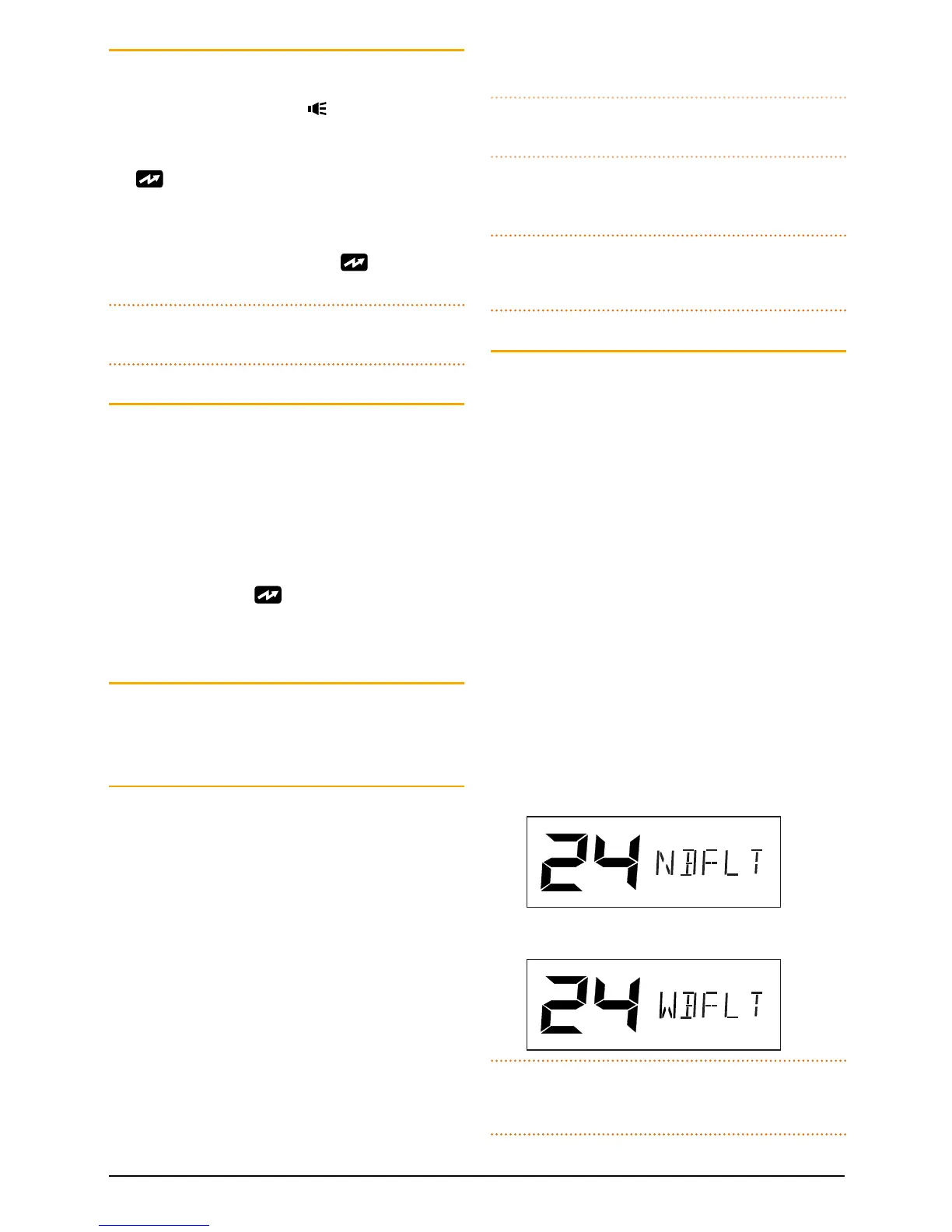
To select the desired filter, press and hold the MENU
key to enter the menu, then press the MENU key
repeatedly until NBFLT (Narrowband Filter) or
WBFLT (Wideband Filter) is displayed. Rotate the
Channel knob to make the desired selection.
When finished, briefly press the PTT to exit from
the Menu.
Narrowband lter selected
Wideband lter selected
NOTE: The wideband receiver filter setting is only
applied to channels 1 – 40. Channels 41 – 80 always
use the narrowband filter.



 To Next Page