PA G E 8 I N S T R U C T I O N M A N UA L T X 4 5 0 0
DYNAMIC VOLUME CONTROL (DVC)
The modulation level of signals heard on the UHF
CB band has always varied considerably resulting
in noticeable differences in received audio volume
between stations. Generally users have compensated
for this by adjusting the volume control for each
incoming signal. With the introduction of 80 channel
narrowband transmissions that use lower levels of
modulation, the diversity in received audio volume is
likely to increase further.
Your radio is able to automatically compensate for
these variations in received audio level by utilising a
Dynamic Volume Control. When activated, this
feature automatically compensates for variations in
received audio level resulting in a constant audio output
level to the speaker.
To activate the Dynamic Volume Control, press and
hold the MENU key to enter the menu, then press the
MENU key repeatedly until DVCOF (Dynamic Volume
Control Off) or DVCON (Dynamic Volume Control On)
is displayed. Rotate the Channel knob to make the
desired selection.
When finished, briefly press the PTT to exit from
the Menu.
Dynamic Volume Control ON
Dynamic Volume Control OFF
VOICE SCRAMBLER
Your radio incorporates a simple voice scrambler using
band inversion. The scrambler is compatible with the
majority of scramblers used by other manufacturers,
allowing you to enjoy scrambled communications with
owners of non-GME radios. Once the scrambler has
been activated your transmission and reception
will only be intelligible to others using the same
scrambler technology.
To enable or disable the voice scrambler:
1. Press and hold the Menu key until the
radio beeps.
2. Briefly press the Menu key repeatedly until
ENCOF or ENCON is displayed.
3. Rotate the Channel knob to make your selection.
Select ENCON to activate the scrambler encoder or
ENCOF to disable it.
4. Press the PTT to exit the menu.
Scrambler Encoder OFF
Scrambler Encoder ON
REPEATERS AND DUPLEX MODE
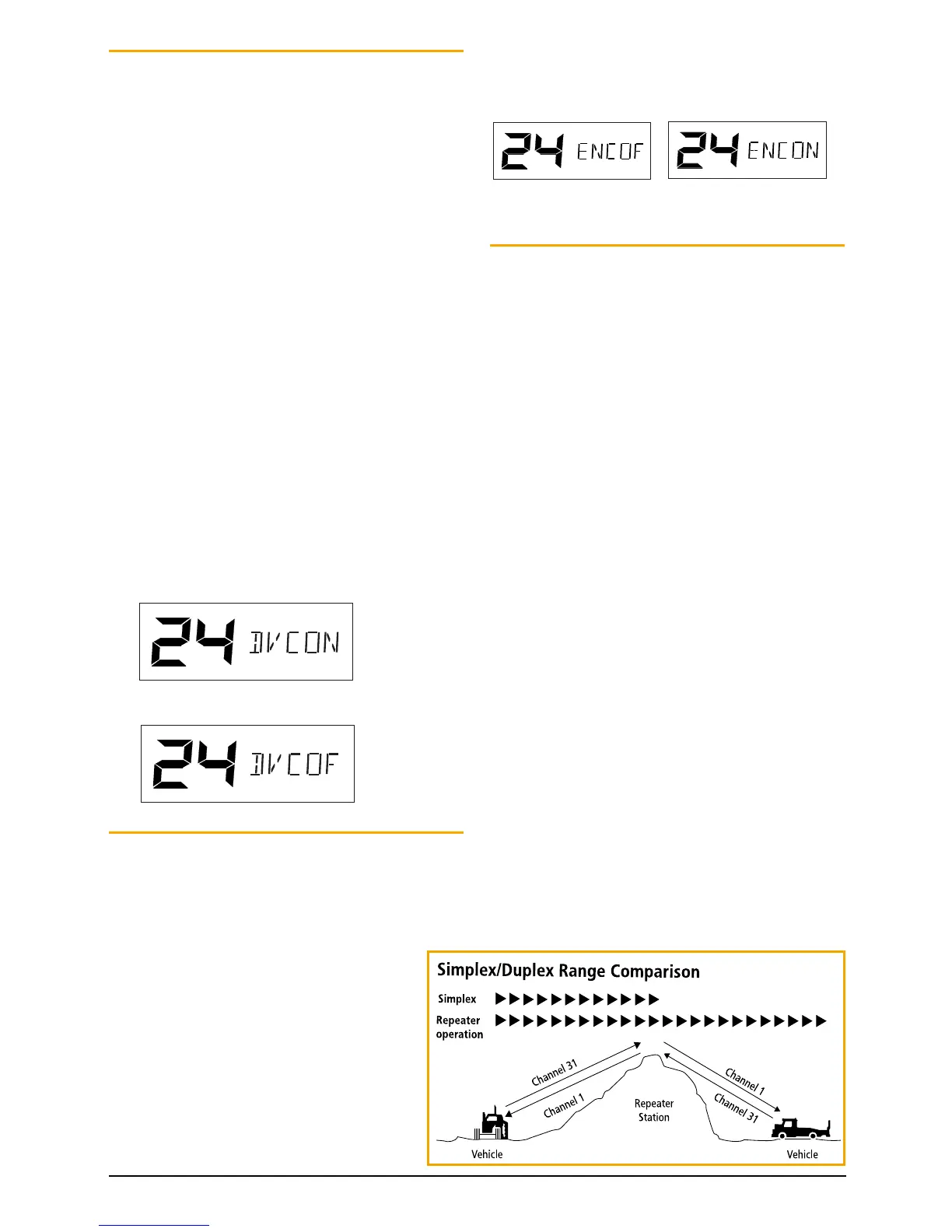
Duplex operation allows the radio to transmit on a
different frequency to that which it receives. This allows
operation through repeater stations.
A repeater station consists of a linked transmitter/
receiver combination installed in a prominent location.
The repeater is designed to receive signals on a
designated channel and retransmit them on another
channel. Repeaters are usually mounted on hills or tall
buildings. The increased elevation greatly improves both
the receiving and transmitting range of the repeater
allowing it to receive and retransmit signals to radios
that would otherwise be out of range of each other.
Normally, UHF radios transmit and receive on the same
frequency – known as Simplex operation. However
to communicate through repeaters, your radio must
be able to transmit and receive on different channels
– otherwise known as Duplex operation. Your radio
is fitted with a Duplex key to allow you to operate
through repeaters.
The Duplex function can only be selected on channels
1–8 and 41–48 as these are the channels that have
been allocated for repeater use. When Duplex is
selected, your radio receives on the selected channel
(e.g. CH 1) but transmits 30 channels higher (CH
31). The repeater hears your signal on CH 31 and
retransmits it on CH 1 for others to hear.
Your radio allows you to enable or disable Duplex
mode on individual repeater channels. In this way
any repeater channels that are not being used with
repeaters in your area can be used in Simplex mode for
normal direct radio-to-radio communications.



 To Next Page