Gocycle
®
Owner’s Manual for G2R, August 2015
© Karbon Kinetics Limited. All Rights Reserved. 35
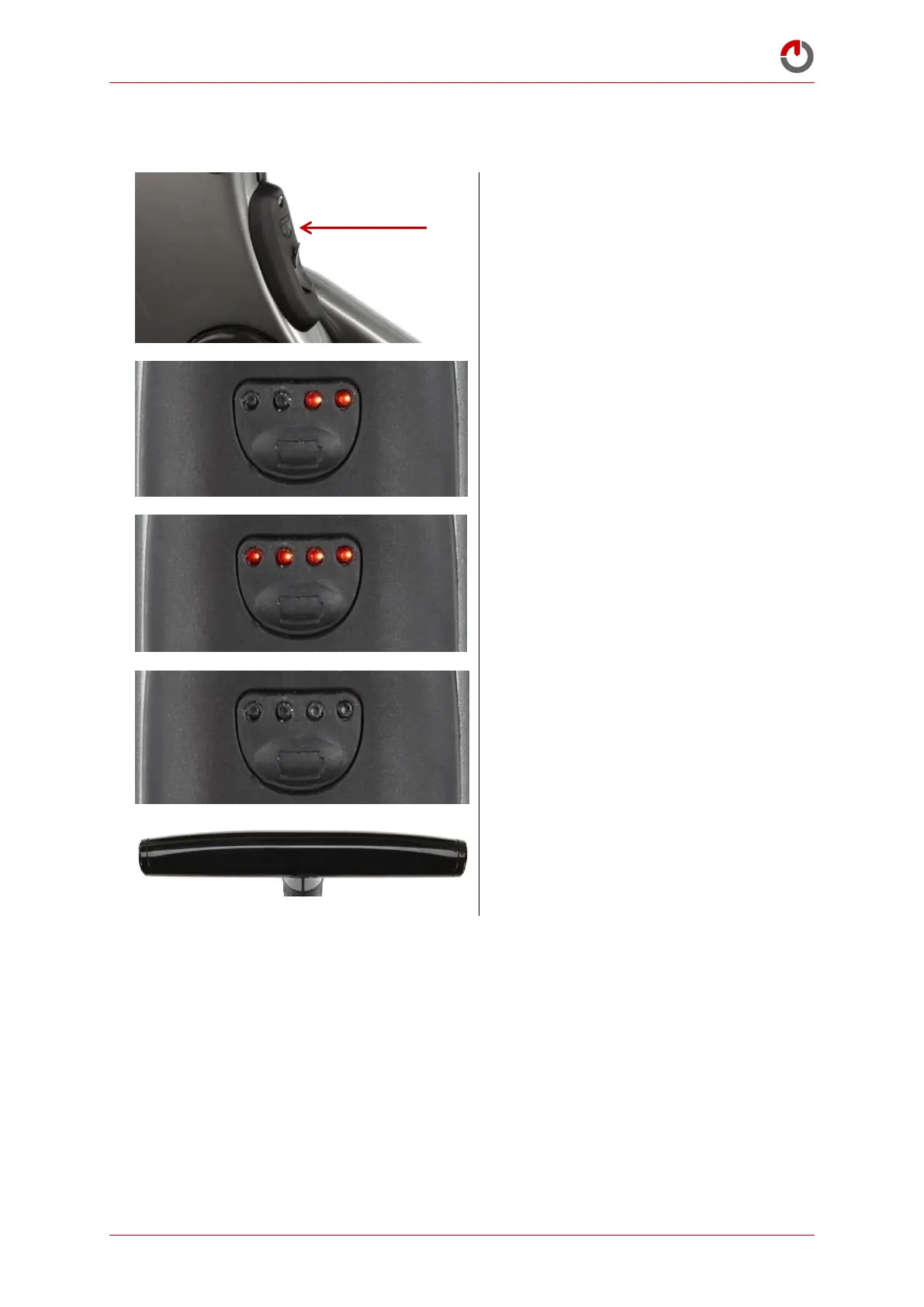
NOTE: the battery will never enter Sleep Mode if the charger is plugged in. To enter Sleep Mode, first
disconnect the charger.
Press and hold the button until the right
LEDs (3,4) begin to flash
LEDs (3,4) will continue to flash whilst the
battery enters Sleep Mode
All LEDs (1,2,3,4) will flash to confirm that
the battery has entered Sleep Mode
The LEDs will then remain off
When in Sleep Mode no LEDs will display
on the dashboard
5.3.5 Automatic Sleep Mode
The battery will enter Sleep Mode automatically if not in use for 15 hours. Check that the battery is in
Operation Mode before attempting to ride. If the Gocycle is plugged into the charger, it will never enter
Sleep Mode. Best practice if you have a green light on your charger or you have 10 LEDs on the dash is
to unplug the charger and put the Gocycle battery into Sleep Mode. This will ensure that your battery
will not be slowly depleted.
5.4
Gocycle Lithium Battery: Care and Maintenance
Batteries do not last forever. As with lithium-ion batteries found in most battery-powered products,
the Gocycle lithium-ion battery will slowly deteriorate over time. Lithium-ion batteries begin to
degrade from the point of manufacturer due to a chemical reaction that gradually causes the internal



 To Next Page