Gocycle
®
Owner’s Manual for G2R, August 2015
© Karbon Kinetics Limited. All Rights Reserved. 34
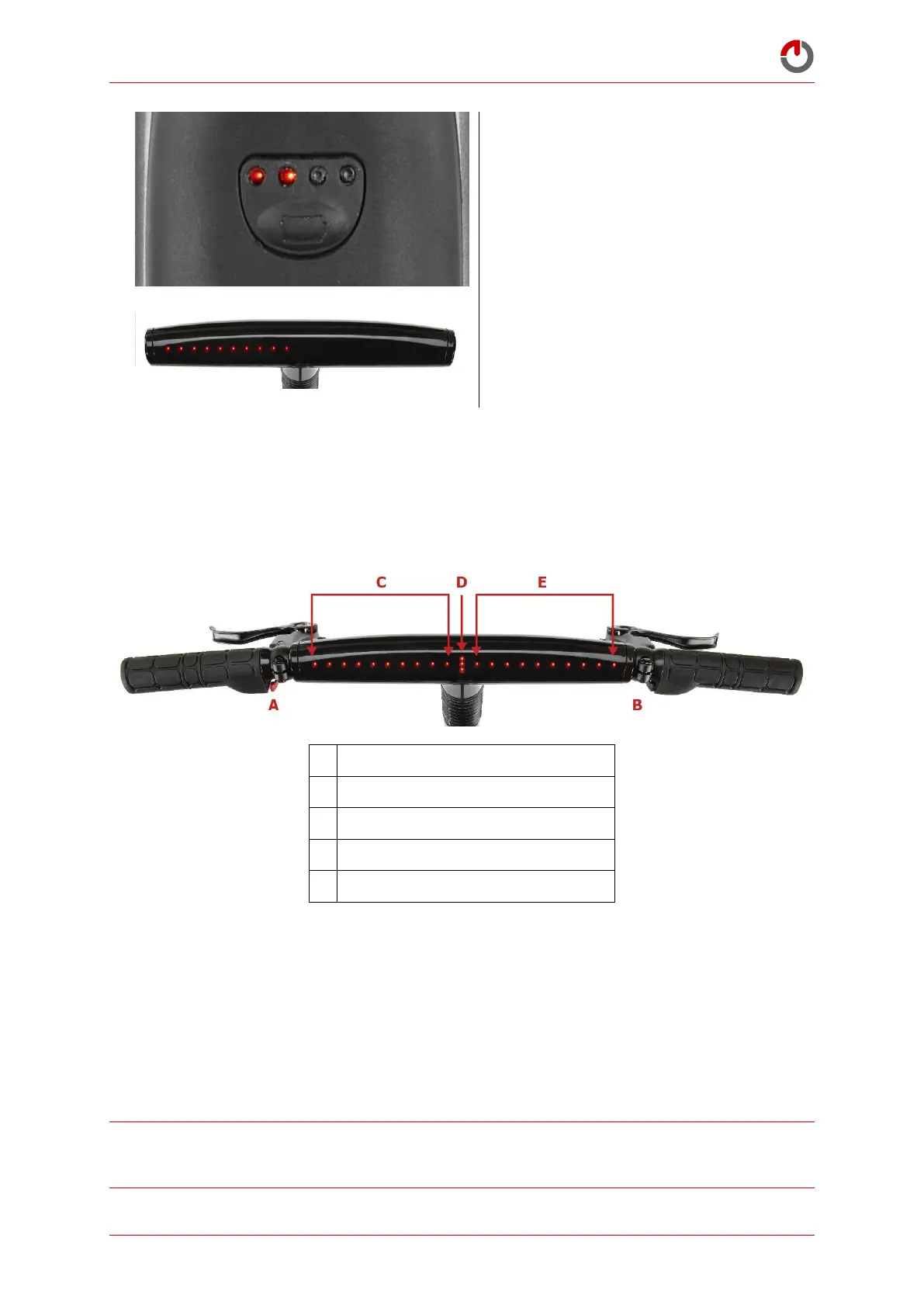
The two left LEDs (1,2) will begin to flash
while the battery is waking up
The LEDs on the dashboard will light up to
confirm that the Gocycle is on and ready to
use
5.3.3 Checking Your Battery Charge Level
The battery charge level will show on the dashboard display during riding. If the Gocycle is
stationary (including when on charge) for more than one minute (60 seconds), the display screen
saver will be shown. Press either button to view the charge state.
Battery charge indicator/mode reference
The battery charge level is displayed in area C, shown above. Each LED represents approximately
10% of battery charge, with 10 LEDs = 100%, 3 LEDs = 30% etc.
During riding when using the motor, the battery charge level will decrease over time, with fewer
LEDs displayed accordingly. The Battery Low Level Indicator is represented by one flashing LED.
When this is displayed, the Gocycle will default to Power Save mode. See 6.3.2.5 Power Save for more
information.
5.3.4 Returning the Battery to Sleep Mode
BEST PRACTICE: The Gocycle will use power when stationary and in
Operation Mode
, or while the
charger light is green. This will drain the battery. Best practice is to enter
Sleep Mode
to conserve
battery—when not in use and the battery is fully charged.



 To Next Page