Gocycle
®
Owner’s Manual for G2, August 2015
© Karbon Kinetics Limited. All Rights Reserved. 82
8.3
Diagnosis Modes
Your Gocycle is pre-programmed with a number of modes to assist in fault diagnosis, should an issue
occur. Should an issue arise, a Gocycle technical support executive may request you to perform a
number of checks in an attempt to properly diagnose a problem. The following section is for
reference.
Reminder! To select a mode, press and hold buttons A and B until all LEDs flash, then release both
buttons. The mode will then be shown on the dashboard display (C). Click button B repeatedly until
you reach the number of LEDs which represent your desired mode (C). To save the mode, press and
hold button A until LEDs flash and then release the button.
8.3.1 Pedal and Wheel Sensor Physical Check
To check the sensors:
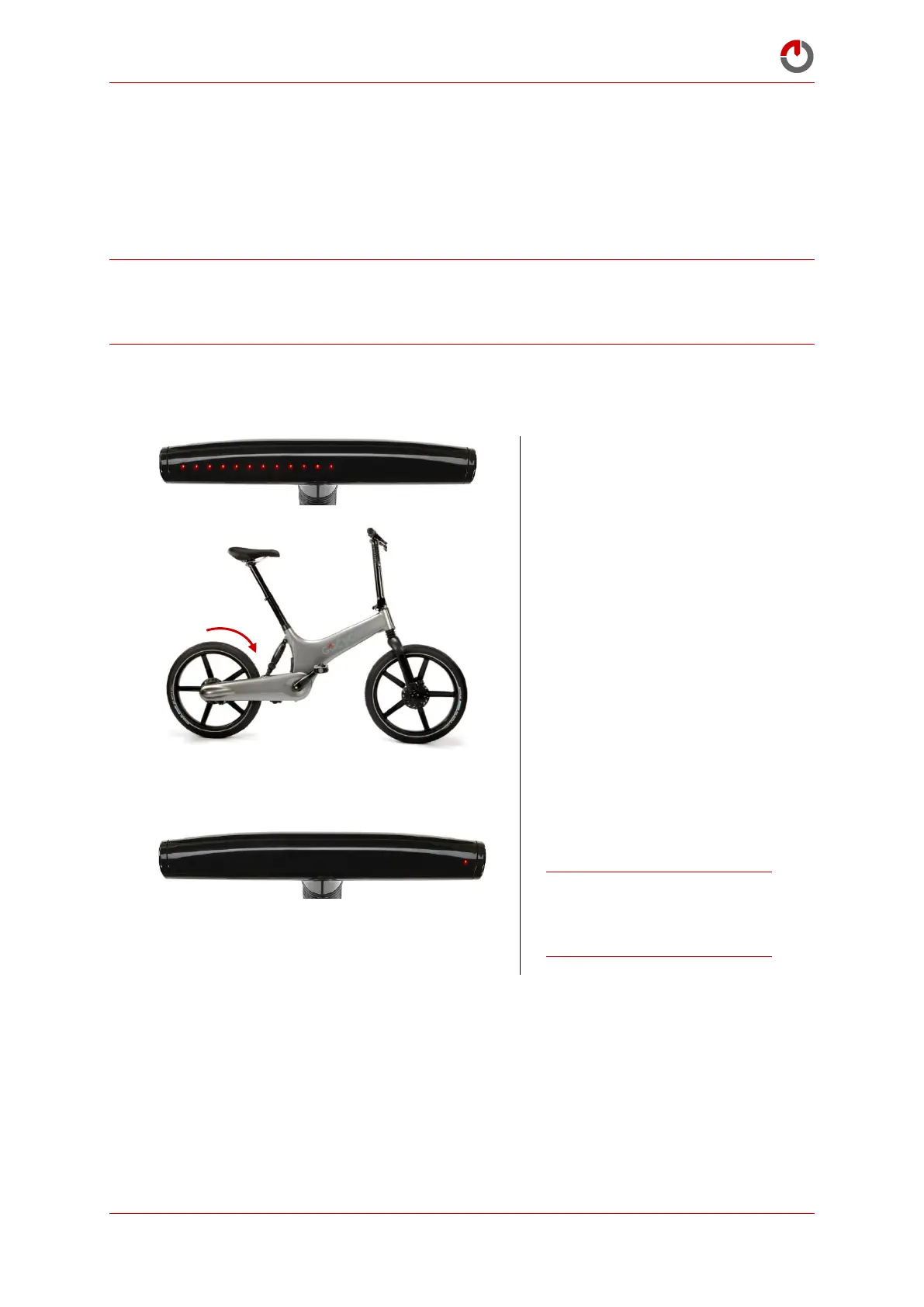
Select Pedal and Wheel Sensor
Physical Check, mode 12.
When movement of the rear
wheel is detected, one LED will
light on the right-hand side of
the dashboard display.
Note: When functioning
correctly, in a full rotation of
the rear wheel, the LED will
flash four times.


 To Next Page