EasyManua.ls Logo

Gocycle G2 - Page 43

Gocycle G2
91 pages
Print Icon
To Next Page IconTo Next Page
To Previous Page IconTo Previous Page
Loading...
Gocycle
®
Owner’s Manual for G2R, Version 4
© Karbon Kinetics Limited. All Rights Reserved. 40
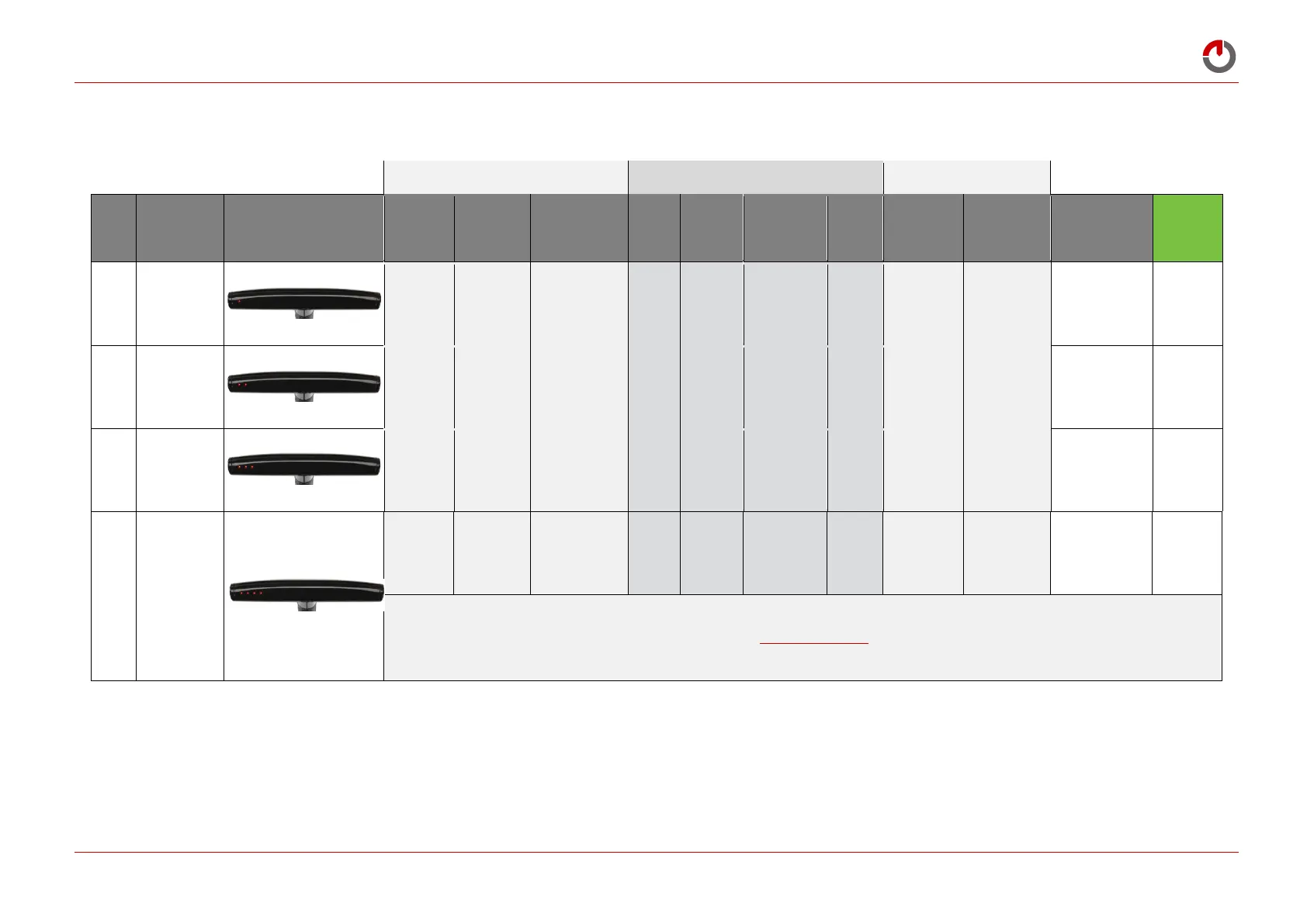
6.3.1 Riding Modes Reference Table
Starting and Stopping the Motor
Motor Operating Speed (No. of LEDs) (E)
Controlling Motor Speed
Mode
No.
Mode Name
Dashboard LED Display
How to Start
Motor
How to Stop
Motor
Continuously
Press Red Button
to Operate the
Motor
No Motor
Motor Start
Power Reduces
above this
Speed (Power
Taper Speed)
No Motor
Pedal Input
Controls Motor
Power
Red Button for
Full Motor Assist
Low Battery
Warning
(1 LED Flashing)
Meets
EN 15194
Regulations
1
City
Light pedal
effort
Stop pedalling
or reduce
pedal effort
X
01
2
5
8+
Motor will not
operate unless red
button is pressed
2
Eco
Medium
pedal effort
Stop pedalling
or reduce
pedal effort
X
01
2
5
8+
Motor will not
operate unless red
button is pressed
3
On Demand
Pedal +
press button
Stop pedalling
or release
button
01
2
5
8+
X
Motor will not
operate unless red
button is pressed
4
Eco +
(Custom)
Medium/high
pedal effort
Stop pedalling
or reduce
pedal effort
X
01
2
5
8+
Motor will not
operate unless red
button is pressed
Customisable via App (see www.gocycle.com/app for more information)

Table of Contents

Other manuals for Gocycle G2

Related product manuals