Gocycle
®
Owner’s Manual for G3, March 2016
© Karbon Kinetics Limited. All Rights Reserved. 40
Battery charge indicator/mode reference
The battery charge level is displayed in area C, shown above. Each LED represents approximately
10% of battery charge, with 10 LEDs = 100%, 3 LEDs = 30% etc.
During riding when using the motor, the battery charge level will decrease over time, with fewer
LEDs displayed accordingly. The Battery Low Level Indicator is represented by one flashing LED.
When this is displayed, the Gocycle will default to Power Save mode. See 6.3.2.5 Power Save for more
information.
5.3.4 Returning the Battery to Sleep Mode
If no activity is detected by the Gocycle, the battery will enter sleep mode after approximately 5
hours.
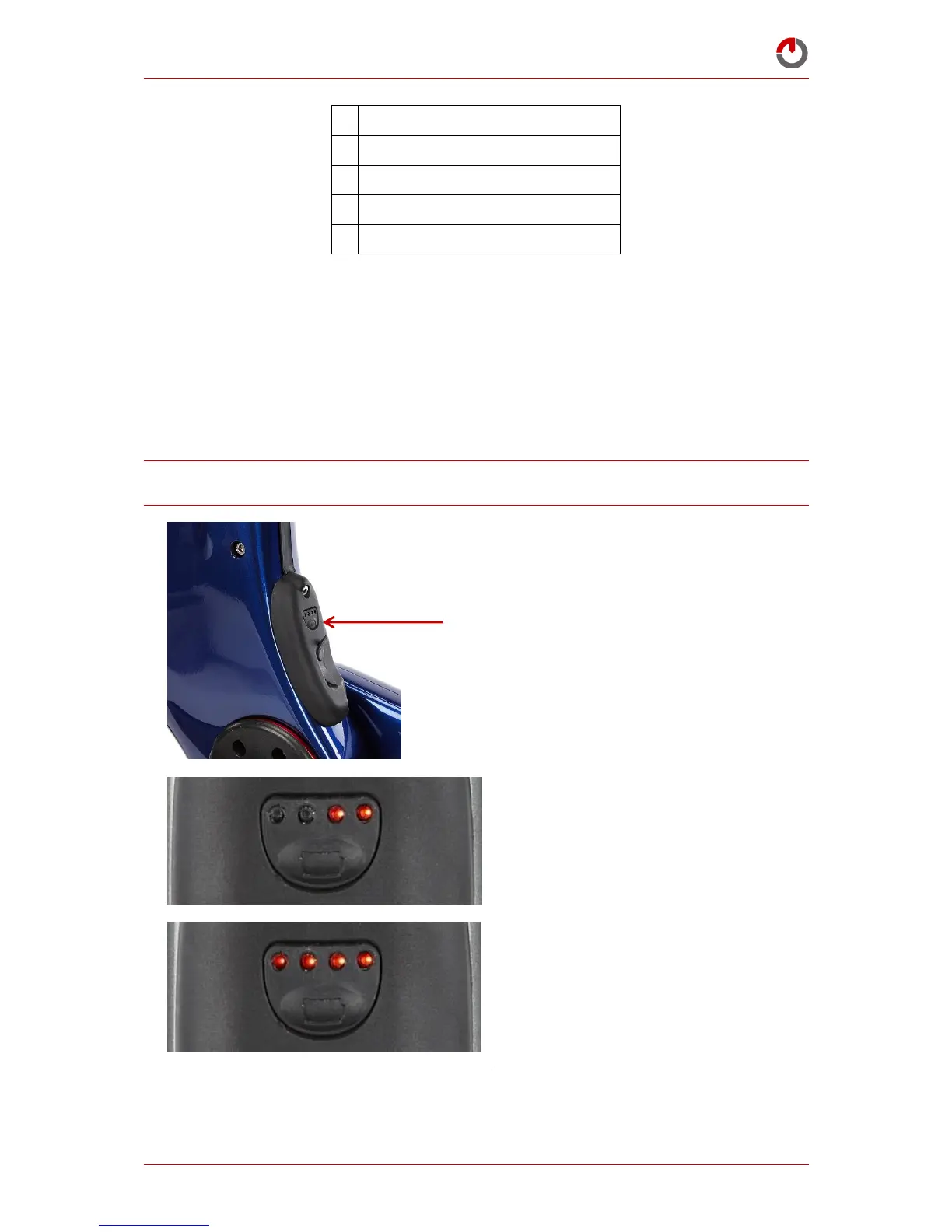
To manually enter sleep mode, press and
hold the button until the right LEDs (3,4)
begin to flash
LEDs (3,4) will continue to flash whilst the
battery enters Sleep Mode
All LEDs (1,2,3,4) will flash to confirm that
the battery has entered Sleep Mode


 To Next Page