Gocycle
®
Owner’s Manual for G3, March 2016
© Karbon Kinetics Limited. All Rights Reserved. 52
national safety organization or a reputable cycle dealer on what the minimum recommended lighting
requirements are in your particular country or region.
6.4.2 Enabling Flashing Modes
The Gocycle G3 is delivered from the factory with the DRL flashing modes 2 and 4 disabled. To
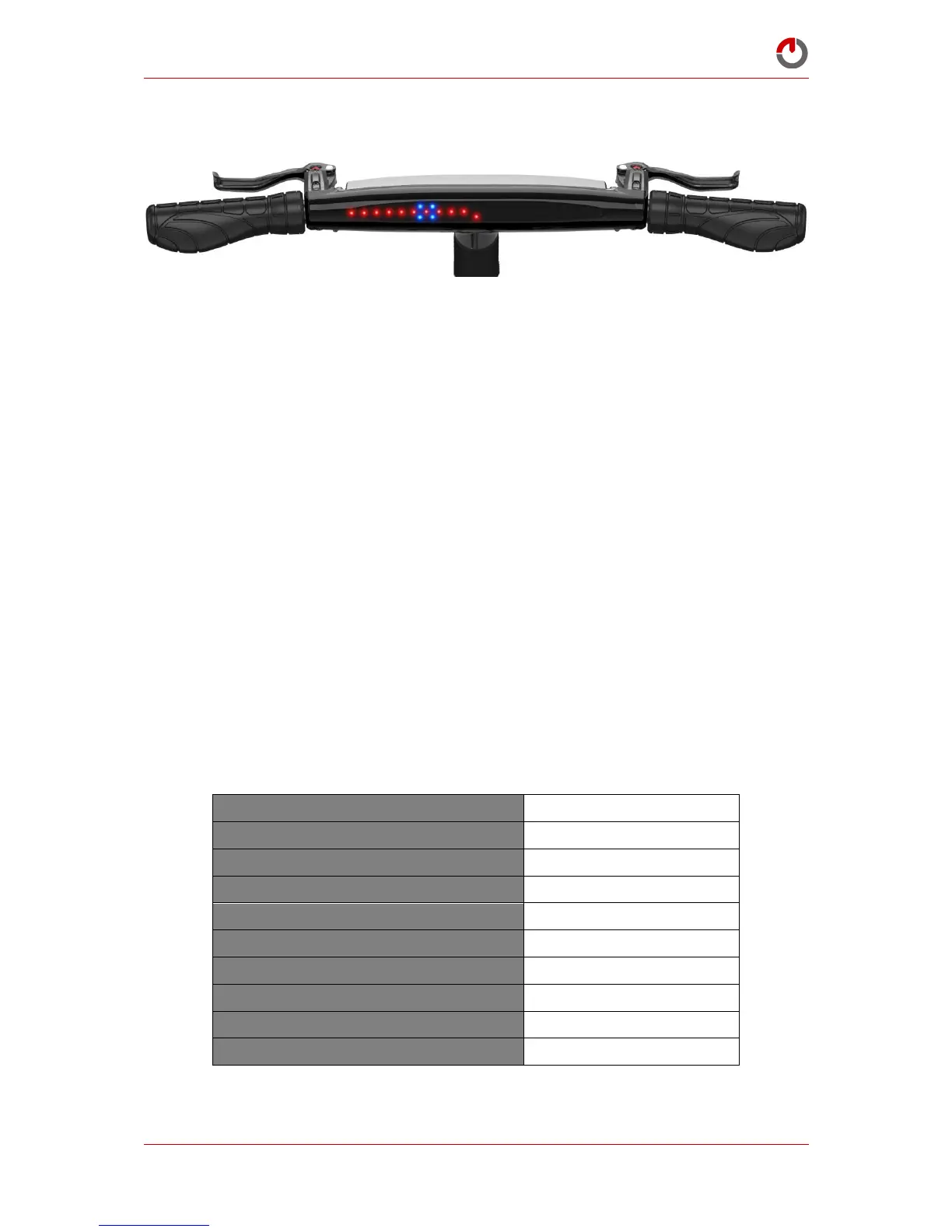
enable flashing modes hold buttons A and B rotated wrist down for 15 seconds until all dash LEDS
are flashing.
Rotate button B “wrist down” until 18 LEDs are shown on the dash.
Rotate button A “wrist down” and hold for 5 seconds until the 18 LEDs are flashing.
Rotate button B “wrist down” until 6 LEDs are shown.
Rotate button A “wrist down” for 5 seconds until the LEDs are flashing.
To disable flashing modes, repeat the above steps but instead select 7 LEDs instead of 6 to disable the
flashing modes.
6.4.3 Setting the DRL Default Running Mode
To set the default running mode (the mode that the DRL will run in when it turns on) enter DRL
mode setting 18 as described in 6.4.2.
The DRL default running modes 1-4 correspond to saving LEDs 1-4. In the event that you do not wish
to have the DRL turn on automatically when the Gocycle moves, select and save 5 LEDs. This will
mean that operation of the DRL will be manual and turned on or off by rotating button A wrist up
and holding for 5 seconds.


 To Next Page