12
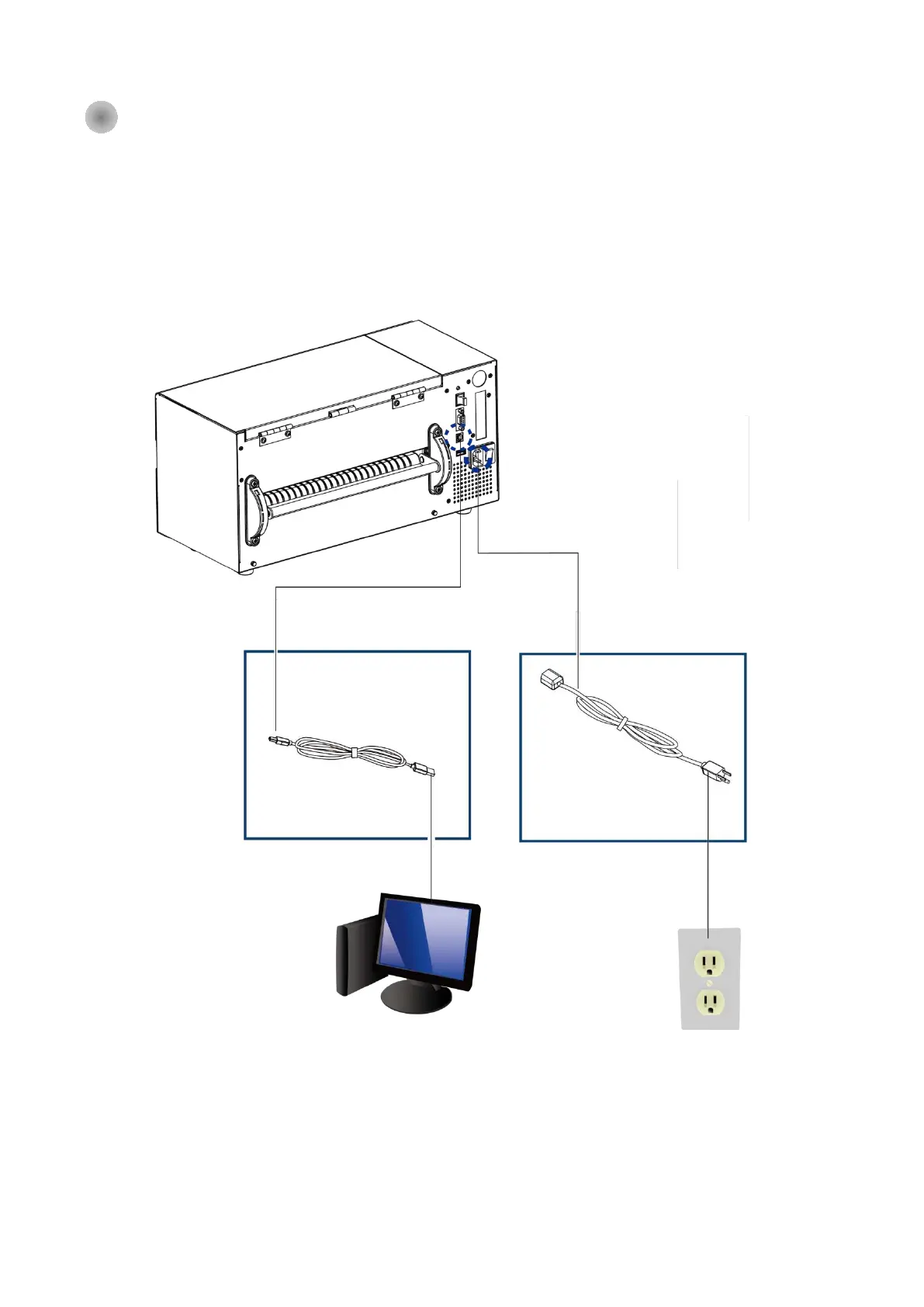
2- 5 C o nne c tio n with PC
1. Ma ke sure the Ba rc o d e Printe r p o we r is in o ff sta tus.
2. Put the p o we r c o rd o ne sid e o n the p o we r p lug , o ne sid e o n the p o we r a d a p to r.
3. C o nne c t the tra nsmissio n c a b le in b e twe e n PC a nd p rinte r (The c a b le mig ht b e d iffe re d a c c o rd ing
to o p tio n se le c te d ) .
4. Afte r the me d ia (rib b o n )insta lla tio n, the n p o we r o n the p rinte r, wa it the sta tus turne d to re a d y.
HD830i Ba rc o d e Printe r
(The inte rfa c e mig ht b e d iffe re d up o n
the o p tio ns b e e n se le c te d )
B1
Power
B2
Power cord
B2
Power Socket
A2
USB port
A1
USB port
B1
Power
A1
USB port
A2
USB port



 To Next Page