39
4- 2 The Inte rfa c e o f Ne tSe tting
G o DEX p rinte r c a n a lso b e use d thro ug h a ne two rk c o nne c tio n (a s a re m o te ne two rk p rinte r), ma ke
sure the p rinte r c o nne c te d to the Inte rne t a nd the p o we r c o rd , yo u c a n use the Inte rfa c e o f
Ne tSe tting to se a rc h c o nne c te d ne two rk p rinte rs.
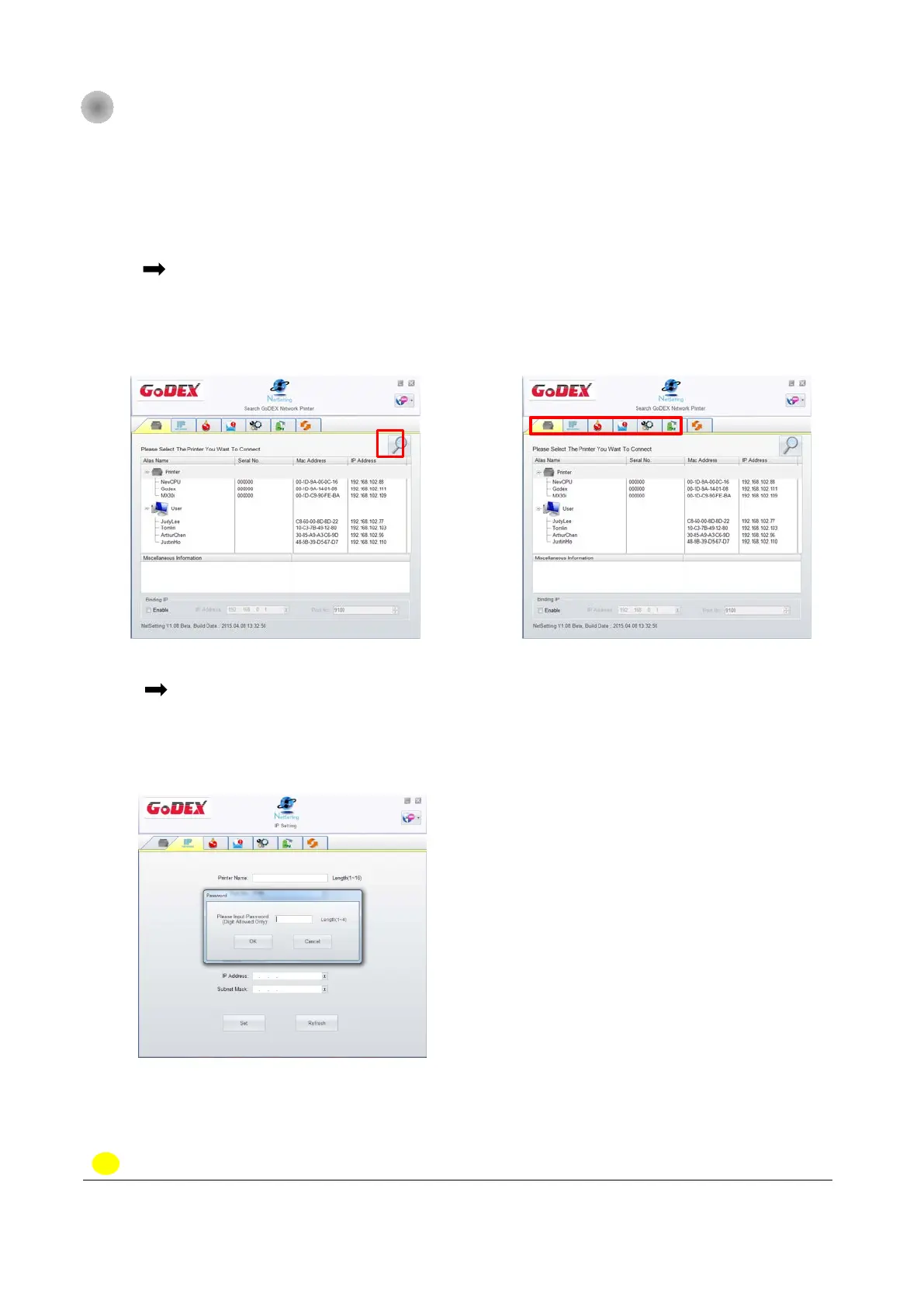
Ste p.01 C lic k the Ne tSe tting ic o n to sta rt the p ro g ra m, yo u will se e the sta rt p a g e a s le ft
d ia g ra m. C lic k the m a g nifie r ic o n to se a rc h the G o d e x p rinte rs whic h a re c o nne c te d
via Ethe rne t p o rt in yo u ne two rk e nviro nme nt (a s rig ht d ia g ra m).
Ste p.02 The re a re six ta b s o n the to p o f inte rfa c e whic h c a n c o nfig ure d iffe re nt typ e s o f
ne tw o rk se tting s. But fo r the d a ta se c urity re a so n, yo u ne e d c o rre c t p a sswo rd to e nte r
the c o nfig ura tio n p a g e s.
NO TE
* The d e fa ult p a sswo rd is “ 1111” , yo u c a n c ha ng e the p a sswo rd la te r fro m the “ IP Se tting ” ta b .



 To Next Page