55
6- 4 Print He a d C le a ning
Dirt o n the p rint he a d o r rib b o n, o r g lue re sid ue fro m the la b e l sto c k ma y re sult in ina d e q ua te p rint
q ua lity. The p rinte r c o ve r must the re fo re a lwa ys b e c lo se d d uring p rinting . Ke e p ing d irt a nd d ust a wa y
fro m the p a p e r o r la b e ls e nsure s a g o o d p rint q ua lity a nd a lo ng e r life sp a n o f the p rint he a d .。
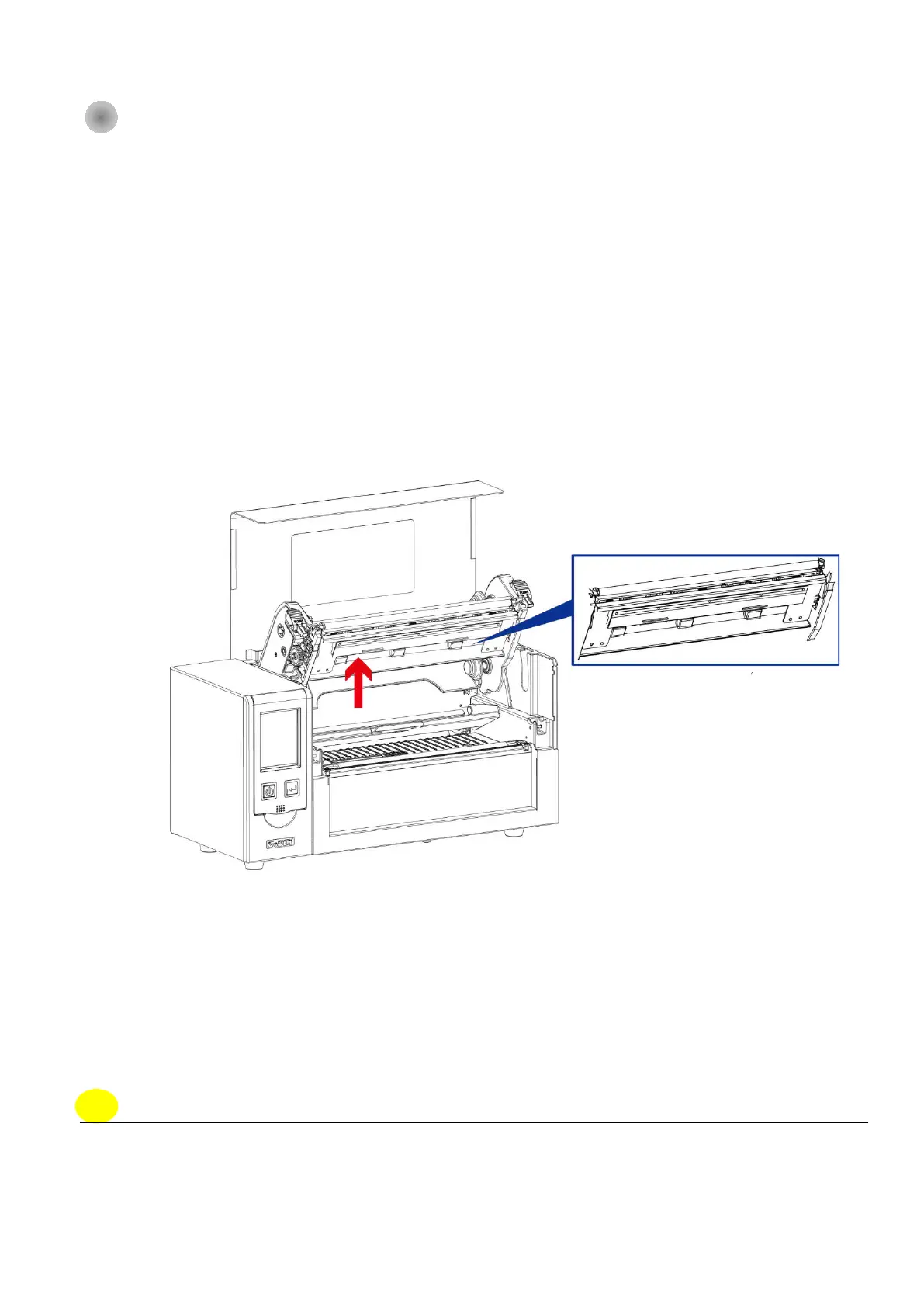
Print He a d Cle a ning Ste p s
Ste p .01 Sw itc h o ff the p rinte r.
Ste p .02 O p e n the p rinte r c o ve r.
Ste p .03 Re le a se the p rinting me c ha nism a nd lift it.
Ste p .04 Re mo ve the rib b o n
Ste p .05 To re mo ve a ny la b e l re sid ue o r o the r d irt fro m the p rint he a d (se e re d a rro w), p le a se use
a so ft lint-fre e c lo th d ip p e d in a lc o ho l
No te
* The p rint he a d sho uld b e c le a ne d o nc e a w e e k.
* * Ple a se ma ke sure tha t the re a re no me ta l fra g me nts o r o the r ha rd p a rtic le s o n the so ft c lo th use d
to c le a n the p rint he a d .



 To Next Page