17
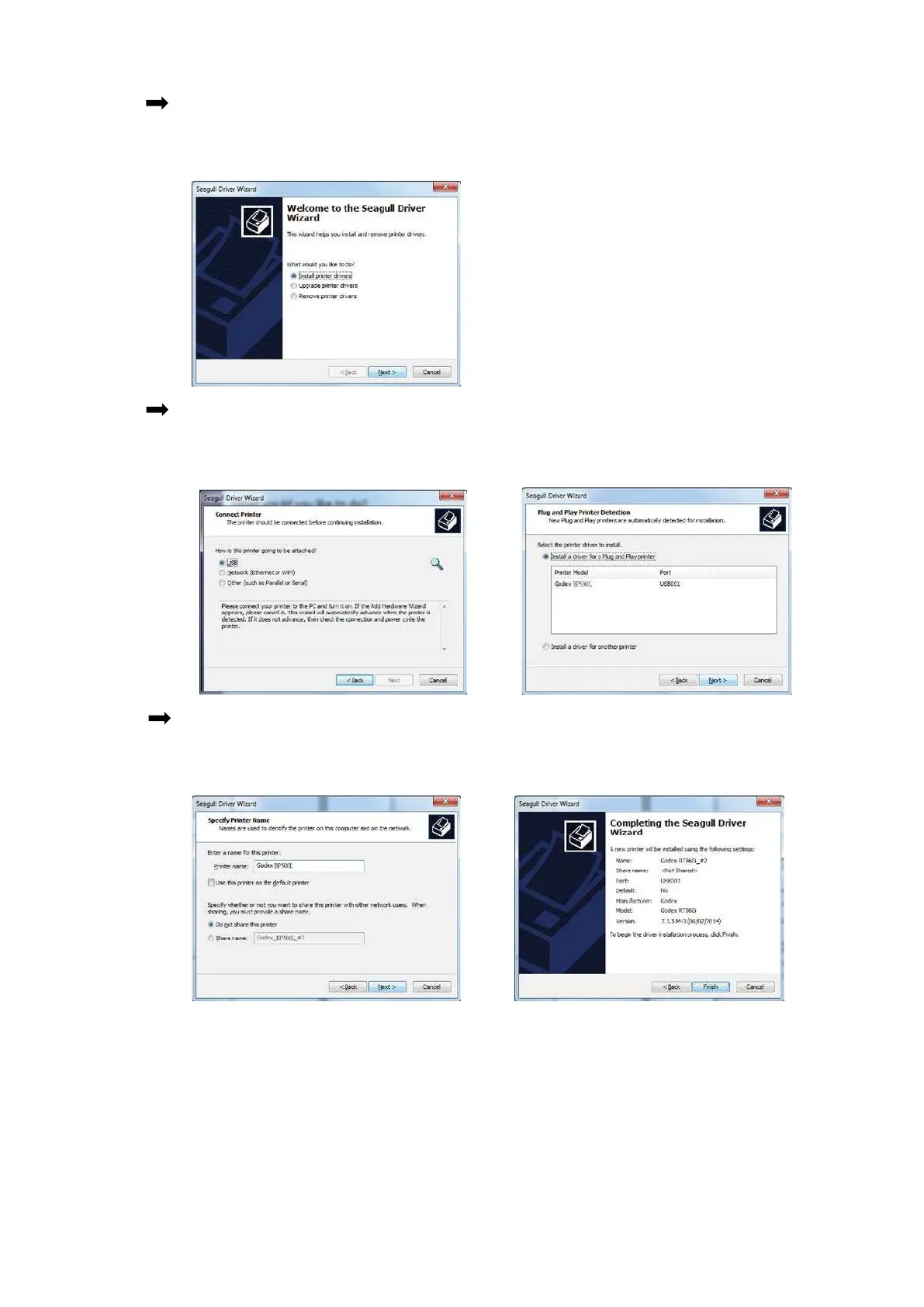
Ste p.04 The Drive r Wiza rd will g uid e yo u thro ug h the insta lla tio n p ro c e d ure . Se le c t "Insta ll p rinte r
d rive rs" a nd c lic k “ Ne xt”.
Ste p.05 With a USB c o nne c tio n, se a rc h mo d e ls suc h a s the rig ht d ia g ra m p rinte r d e vic e .
Sp e c ify yo ur p rinte r mo d e l a nd c lic k ” Ne xt” .
Ste p.06 Ente r the p rinte r na me (yo u c a n use d e fa ult), the n c lic k "Ne xt" to d isp la y a s rig ht
d ia g ra m . C lic k "Finish" b utto n to sta rt insta lla tio n.



 To Next Page