46
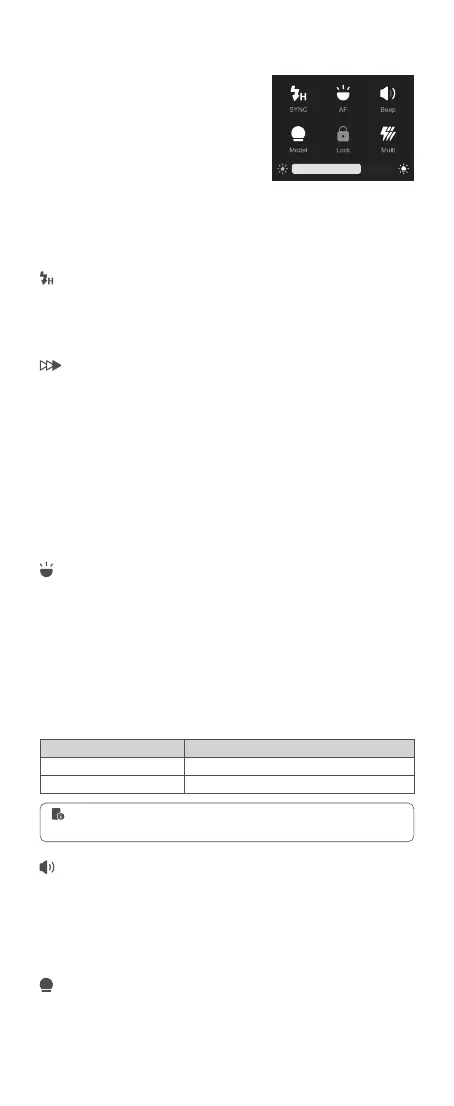
Touch Screen: When in Wi-Off/Sender/
Receiver mode, slide the screen down to
make other functions appear, slide up to
return to the main interface.
Sync Mode
Other Functions
High speed sync (FP flash) enables the flash to synchronize with all camera
shutter speeds. This is convenient when you want to use aperture priority
for ll-flash portraits.
With a slow shutter speed and second-curtain sync, you can create a light
train following the subject. The flash res right before the shutter closes.
Touch Screen: Click the “SYNC” icon to switch sync mode(V100 C). Click
the “SYNC” icon can only turn on or off HSS, second-curtain sync need to
be set on cameras (V100 S).
High-speed Sync
Second-curtain Sync
Auto Focus Assist Beam
Beep
Modeling Lamp
In poorly-lit or low-contrast shooting environments, the built-in auto focus
assist beam will automatically light on to make it easier for autofocus. The
beam will light up only when autofocus is difcult and get out as soon as
the autofocus becomes correct.
The flash will re with a prompt tone if the beep is turned on.
Touch Screen: Click the “Model” icon to turn on or off the modeling lamp.
The brightness of it is adjustable from 1 to 10 by pulling the progress bar
down when it’s turned on.
Touch Screen: Click the “AF” icon to turn on or off the auto focus assist
beam.
Touch Screen: Click the “Beep” icon to turn on or off the beep.
Position
Center
Periphery
Effective Range
0.6~10m / 2.0~32.8 feet
0.6~5m / 2.0~16.4 feet
If you nd the auto focus assist beam does not light up, this is because the
camera has got a correct autofocus.
Buttons and Select Dial: When in Wi-
Off/Sender/Receiver mode, short press
the power switch button twice to make
other functions appear, press it again to
return to the main interface.
Buttons and Select Dial: Rotate the select dial to choose “AF” icon, then
press the set button to turn on or off the auto focus assist beam.
Buttons and Select Dial: Rotate the select dial to choose “Beep” icon, then
press the set button to turn on or off the beep.
Buttons and Select Dial: Rotate the select dial to choose “SYNC” icon, then
press the set button to switch sync mode(V100 C). Press the set button can
only turn on or off HSS, second-curtain sync need to be set on cameras
(V100 S).



 To Next Page