57
Other Applications
The sync cord jack is a Φ2.5mm plug. Insert a trigger plug here and the
flash will be red synchronously with the camera shutter.
If the camera has a depth-of-eld preview button, pressing it will re the
flash continuously for 1 second. This is called modeling flash. It enables
you to see the shadow effects on the subject and the lighting balance. You
can re the modeling flash during wireless or normal flash shooting.
By pointing the flash head toward a wall or ceiling, the flash will bounce off
the surface before illuminating the subject. This can soften shadows behind
the subject for a more natural-looking shot. This is called bounce flash.
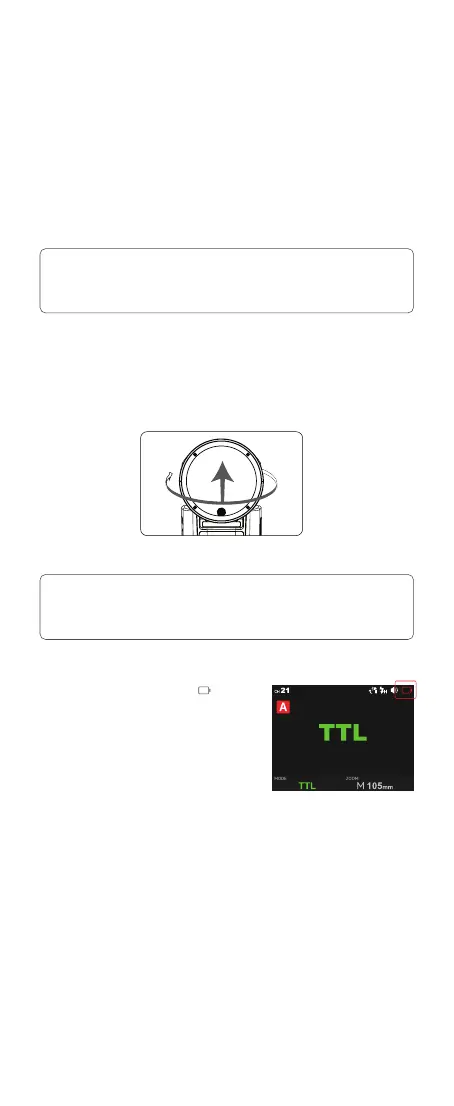
If the battery power is low, the <
> icon
will turn red. Please replace or charge the
battery immediately.
Note:
Note:
Sync Triggering
Modeling Flash(Only available in V100 C)
Bounce Flash
Low Battery Warning
1. To avoid overheating and deteriorating the flash head, do not re the modeling
flash for more than 10 consecutive times. If you re the modeling flash 10
consecutive times, allow at least 10 minutes’ break for the camera flash.
2. The modeling flash cannot be red with the Canon EOS 300 and Type-B cameras.
1. If the wall or ceiling is too far away, the bounced flash might be too weak and
result in underexposure.
2. The wall or ceiling should be a plain, white color for high reflectance. If the
bounce surface is not white, a color cast may appear in the picture.
To set the bounce direction, hold the flash head and turn it to a satisfying angle.



 To Next Page