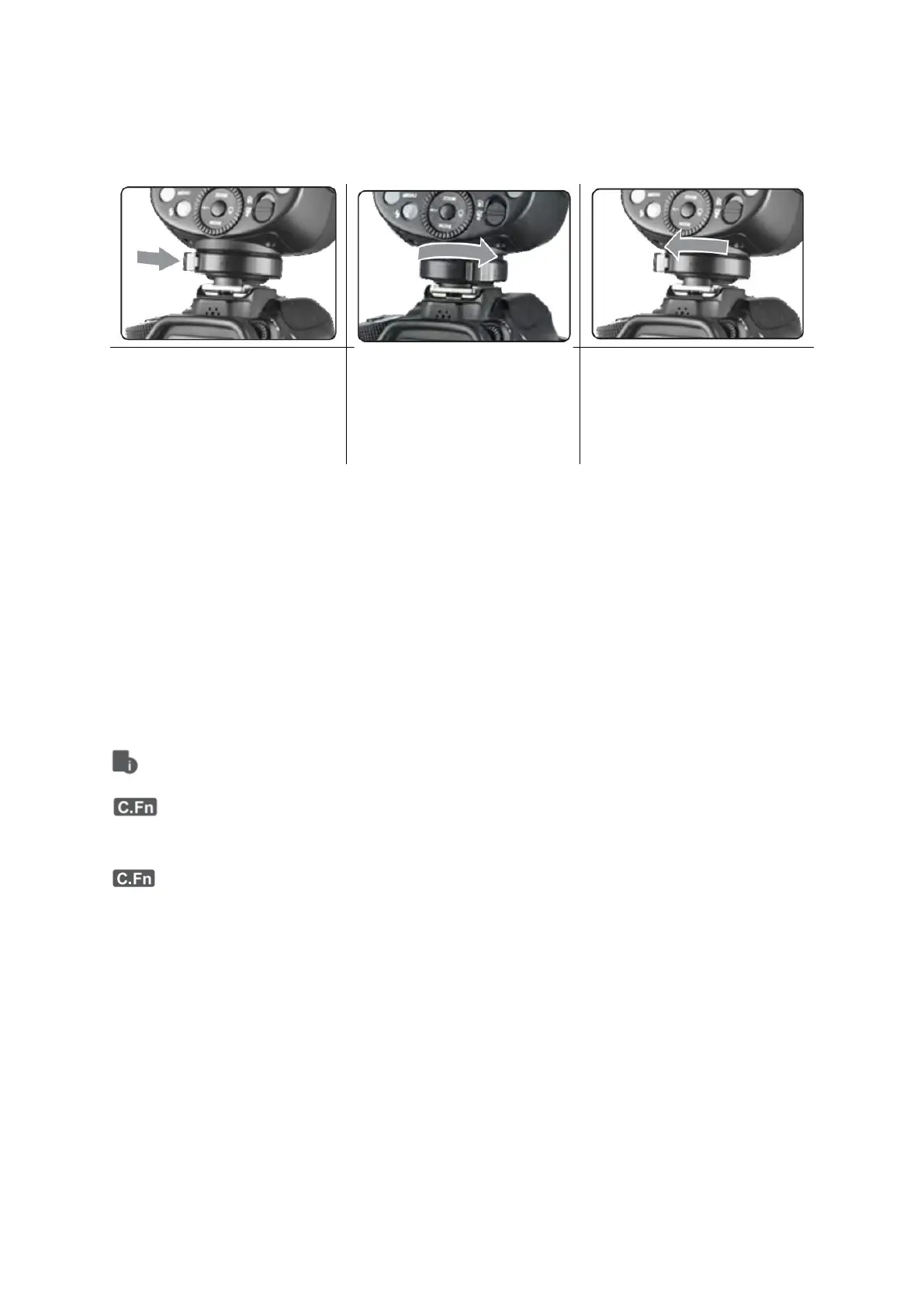
Attach the Camera Flash
Rotate the hotshoe fixing
buckle to the left and insert
the camera flash into the
camera’s hotshoe.
Power Management
Use ON/OFF Power Switch to power the flash unit on or off. Turn off it will not be used
for an extended period of time. Setting as transmitter flash, it will turn the power off
automatically after a certain period (approx. 90 seconds) od idle use. Pressing the
camera shutter halfway or pressing any flash button will wake up the flash unit. Setting
as a receiver flash, it will enter sleep mode after a certain period (adjustable, 60 minutes
by default) of idle use. Pressing any flash button will wake it up.
Disabling Auto Power Off function is recommended when the flash is used off
camera. (C.Fn-STBY)
Receiver Auto Power Off Timer is set to 60 minutes by default. Another option “30
minutes” is available (C.Fn-RX STBY)



 To Next Page