OPTIONAL CONNECTIONS
15
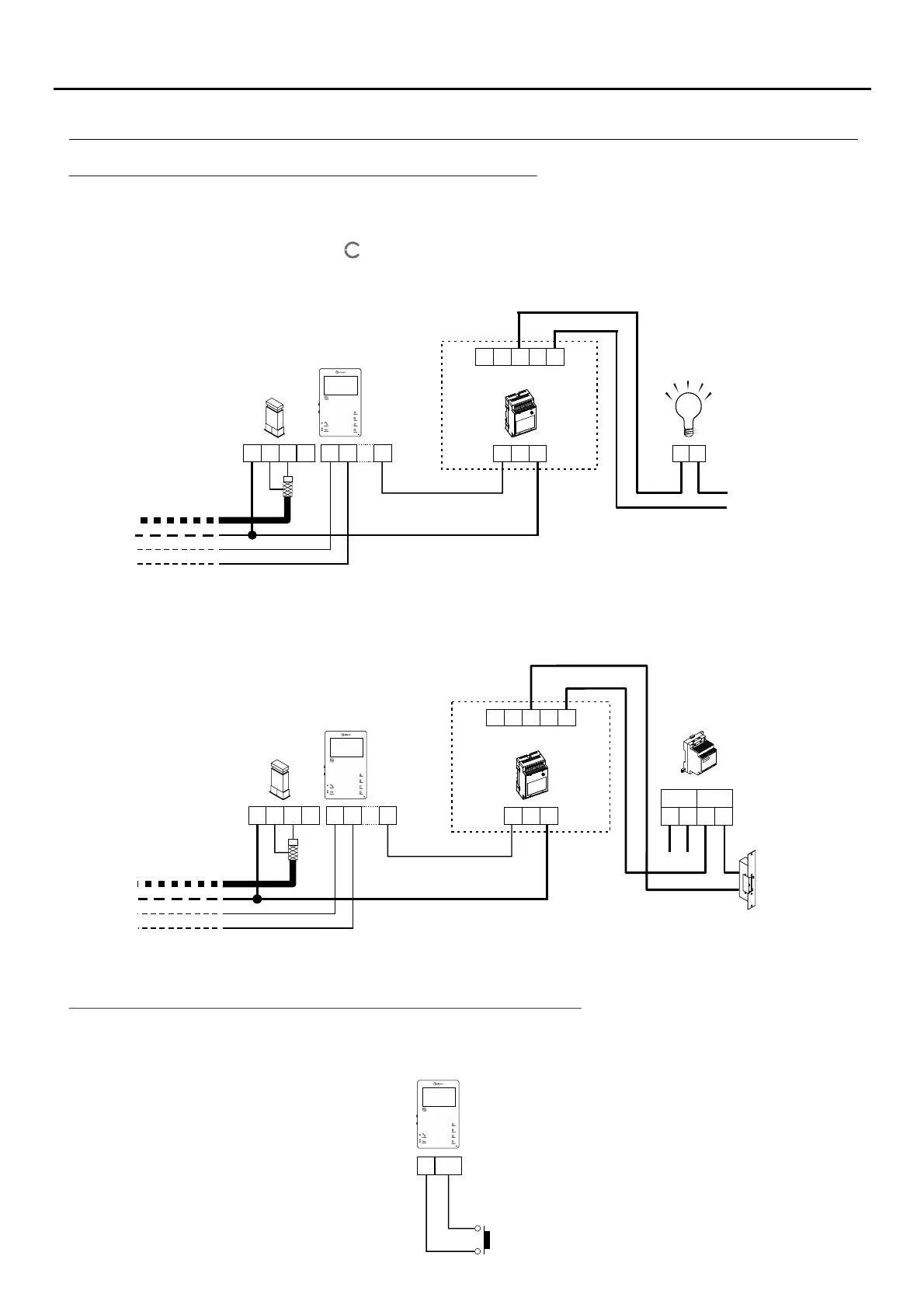
Activating auxiliary devices with Tekna HF Plus monitors:
Continued overleaf
To activate a second lock release, a TF-104 transformer is required.
Auxiliary device activation requires the use of an SAR-12/24 relay unit. If the feature is shared by all monitors,
connect their A1 terminals; if, however, each monitor has its own feature, use an SAR-12/24 relay for each one
and do not connect theirA1 terminals.
This function is activated when button on the monitor is pressed (with the terminal in standby or function, call,
communication or intercom mode).
The most common applications are activating the stairway lights and opening a second door.
CN4
220 Va /c
1.8A max.
SAR-12/24
F
N
IN IN
NC NA C
( )
*
The neutral of the lighting power supply is arranged serially through the contacts of the SAR-12/24 relay and the
maximum consumption of the element to be connected does not exceed 1.8A.
( )
*
To the distributor/
door panel.
To the stairway light
activation button
~~ ~~
Lock release
Vac
T 104F-
Mains
PRI
SEC
SAR-12/24
IN IN
NC NA C
A1
CN4
To the distributor/
door panel.
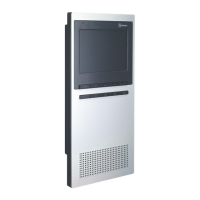
Tekna HF Plus
Tekna HF Plus
Important: Place the varistor supplied with the sound module directly onto the terminals of the
lock release.
*
*
Input for outside button to activate the door panel lock release:
_
AP+
Tekna HF Plus
AP
This enables the door panel lock release to be activated during a call or communication with the door panel.
With the monitor in standby, it makes a panic call to the guard units configured to receive this type of call.
A
_
+
D
V
in
V
out
CN3
CN2
A1
A
_
+
D
V
in
V
out
CN3
CN2
CN2
TEKNA PLUS MONITORHF





 To Next Page