CHARACTERISTICS
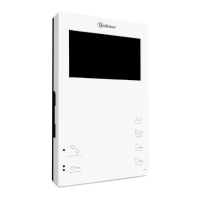
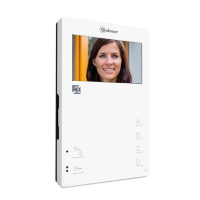
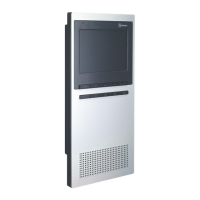
- Monitor for Plus/Uno installation.
- 4.3” TFT colour screen.
- Monitor with 3 common wires plus coaxial cable.
- Monitor with 4 common wires + plus twisted pair.
- Monitor with UTP cabling and RJ-45 connector.
- Enables communication with hearing aids equipped with T-mode, making conversation possible (inductive loop).
- Function and advanced programming access buttons (to customise the monitor's functions).
- Completely private conversation and image.
- Auto switch-on function.
- Auto spy function without occupying a channel.
- 'Doctor mode' function (automatic door opening, see p. 11).
- Intercom between two devices in the same apartment.
- Input for calls from the apartment front door.
- Call volume control (maximum, medium, minimum and no volume 'night mode.' See p. 5).
- Input for outside door release button.
- Output to auxiliary call repeater.
- Call to main and secondary guard unit.
- Panic call to guard units.
- Different ringtones to identify call origin: Door panel, guard unit, intercom and interior door of the apartment.
- Activation of two auxiliary functions: second camera, courtesy lights, etc.
- Control of brightness and colour.
- DIP switches for setting the 'call code' monitor address and master/slave (quick programming mode).
- Lock release button.
- Monitor status LED.
- .Indicator LED
- .Programming LED
SYSTEM OPERATION
3
- To make a call, the visitor presses the button for the apartment, a number of audible tones indicate that the call is being
made and LED on the door panel illuminates. At this moment, the apartment's monitor receives the call. If the visitor
presses the button for another apartment by mistake, the call can be cancelled by pressing the button for the correct
apartment.
- In systems with several access doors, the other door panel(s) automatically disconnects; if another visitor attempts to
call, a number of telephone tones will indicate that the channel is busy and LED on the door panel will illuminate.
- General entrance door panels (mode EL501): If the call is being made from the general entrance door panel, the
interior door panel of the building being called and other possible general entrance door panels automatically
disconnect. If another visitor attempts to call from either a busy interior door panel, a number of telephone tones will
indicate that the channel is busy and LED of the door panel will illuminate, or from another general entrance door
panel, a number of telephone tones will indicate that the channel is busy and LED of the general entrance door panel
will blink for 3 seconds. The door panels of the other interior buildings will remain free to be used.
- General entrance door panels (mode EL501): If the call is made from an interior door panel, the other interior door
panels will remain free to be used. It is only possible to make calls to interior buildings from the general entrance door
panels when their door panels are not in use. If an attempt is made to make a call to a busy interior door panel, a
number of telephone tones will indicate that the channel is busy and LED of the general entrance door panel will
blink for 3 seconds.
- The call lasts for 45 seconds, during which time an image appears on the apartment's master monitor for 2 seconds
after the call is received without the visitor knowing, and the status LED and indicator LED of the master and slave
monitor(s) will illuminate (green). If the call is not answered within 45 seconds, the status LED on the master and slave
monitors will illuminate (red) and indicator LED on the master and slave monitor(s) will turn off. LED on the door
panel will turn off and the channel will become free.
- To establish communication, press button on the monitor, indicator LED will blink (green) and LED on the door
panel will illuminate. : Make sure that the hearing aid is 15-20 cm away from theCommunication with hearing aid
monitor to ensure maximum audio quality during communication with the door panel. Set the hearing aidRemember:
switch to position T.
- Communication will last for one and a half minutes or until button is pressed again. Once communication is
complete, the monitor's status LED will illuminate (red), indicator LED on the monitor and LED on the door panel
will turn off and the channel will become free.
- To open the door, press door release button during the call or communication processes: one press will activate
the lock release for 3 seconds and LED will also illuminate for 3 seconds.
- Adescription of the function buttons can be found on p. 5.
TEKNA PLUS MONITORHF





 To Next Page