22 23
Changing Modes + Settings
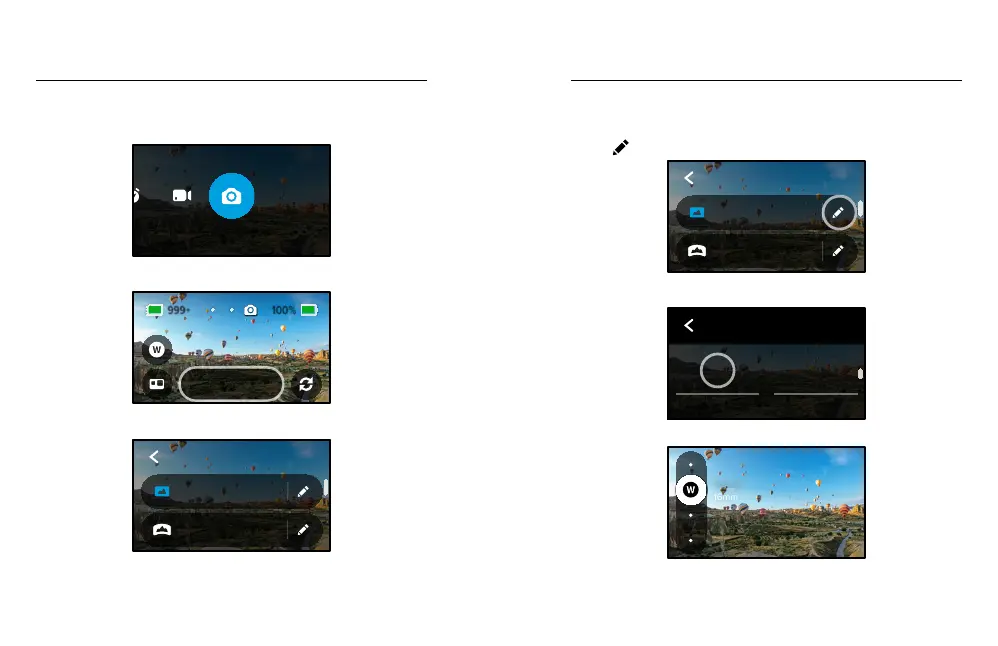
CHANGING MODES
1. Swipe left or right to the mode you want.
PHOTO
2. Tap the capture settings to see all of the available capture options.
Wide
Photo
3. Choose an option from the list.
3 Seconds
PowerPano
Wide
Photo
PHOTO
Changing Modes + Settings
CHANGING CAPTURE SETTINGS
Each mode has its own settings that can be adjusted with just a few taps.
1. Tap
next to the mode you want to change.
3 Seconds
PowerPano
Wide
Photo
PHOTO
2. Tap the setting that you want to change.
PHOTO
Wide
Lens
O
Timer
The on-screen instructions will give you a list of options.
16mm
Wide
For details on settings, see Tech Specs (starting page 92).















 To Next Page