54 55
Controlling Your GoPro With Your Voice
SEE A COMPLETE LIST OF COMMANDS ON YOUR CAMERA
1. Swipe down to access the Dashboard.
2. Tap Preferences > Voice Control > Commands.
CHANGING YOUR VOICE CONTROL LANGUAGE
1. Swipe down to access the Dashboard.
2. Tap Preferences > Voice Control > Language.
Heads Up: Voice Control may be aected by wind, noise and your distance
from the camera. Keep your camera clean and wipe away any debris for
the best performance.
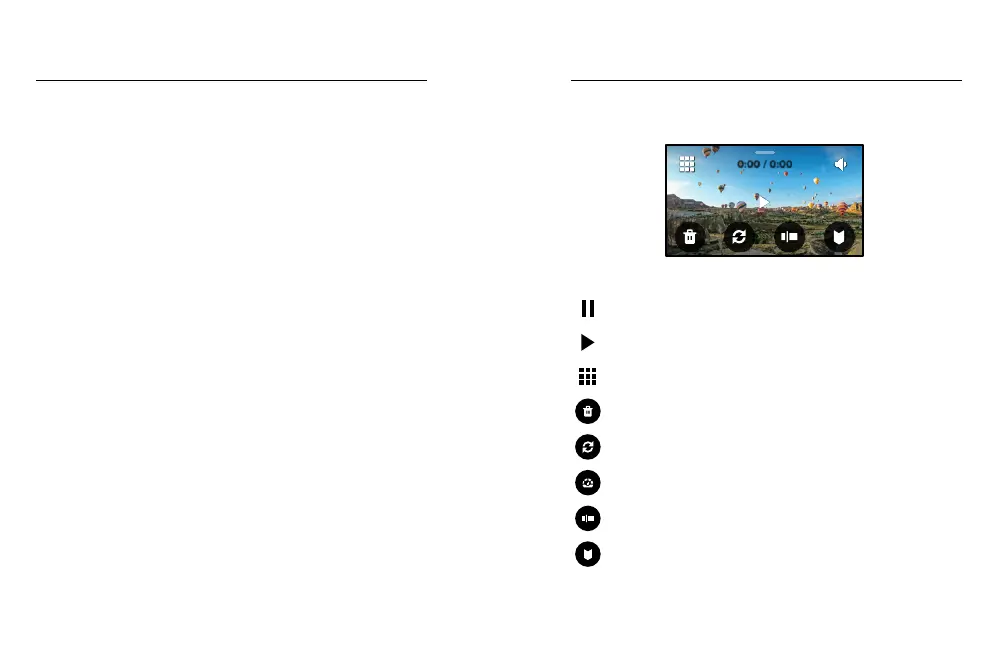
Swipe up to see the last video, photo or time lapse you took. Swipe left
and right to ip through the other les on your SD card.
0:00 / 0:00
The Media Gallery includes the following playback options:
Pause playback
Resume playback
See all of the media on your SD card
Delete the le from your SD card
Playback view
Play back at slo-mo or normal speed
Use a slider to scan through your videos or group
of continuous photos
Add/remove HiLight Tag
Playing Back Your Media















 To Next Page