44 45
Capturing Time Lapse
ONSCREEN SHORTCUTS
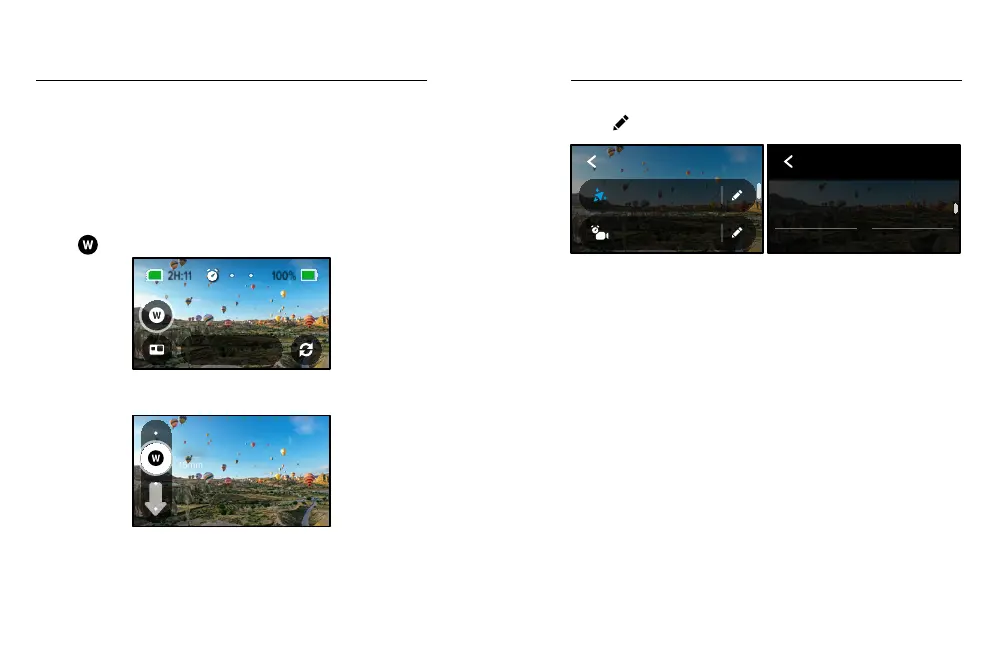
Time Lapse mode includes one default shortcut for HERO mode (Digital
Lens), but you can swap it for a dierent shortcut or add another.
To learn more, see On-Screen Shortcuts (page 25).
Digital Lens (HERO mode)
Swap digital lenses to change the eld of view, the cropping and the
sheye eect in your shot.
1. Tap
.
1080 | Auto | W
TimeWarp
2. Scroll through the options to see a live preview of each option, then
tap the one that you want.
16mm
Wide
Time Lapse Settings
Here’s where you can make adjustments to your Time Lapse settings.
Tap the
and then tap the setting to make changes.
1080 | 0.5s | Wide
Time Lapse
1080 | Auto | Wide
TimeWarp
TIME LAPSE
TIMEWARP
HERO
Mode
1440
Resolution
RESOLUTION
HERO mode features two resolutions (RES) in both TimeWarp and
Time Lapse mode. 1080p is a widescreen 16:9 resolution that’s great for
cinematic shots. 1440p is a tall 4:3 resolution that’s great for seles and
POV shots. In TimeWarp mode, all 360 footage is shot in 5.6K.
To learn more, see Resolution (page 92).
LENS
Choose the best digital lens for your shot. Scroll through the options to
see a live preview of each, then tap the one you want.
Heads Up: Available lenses will vary based on the mode you select.
To learn more, see Digital Lenses (Photo) (page 96).















 To Next Page