66 67
USING THE DASHBOARD
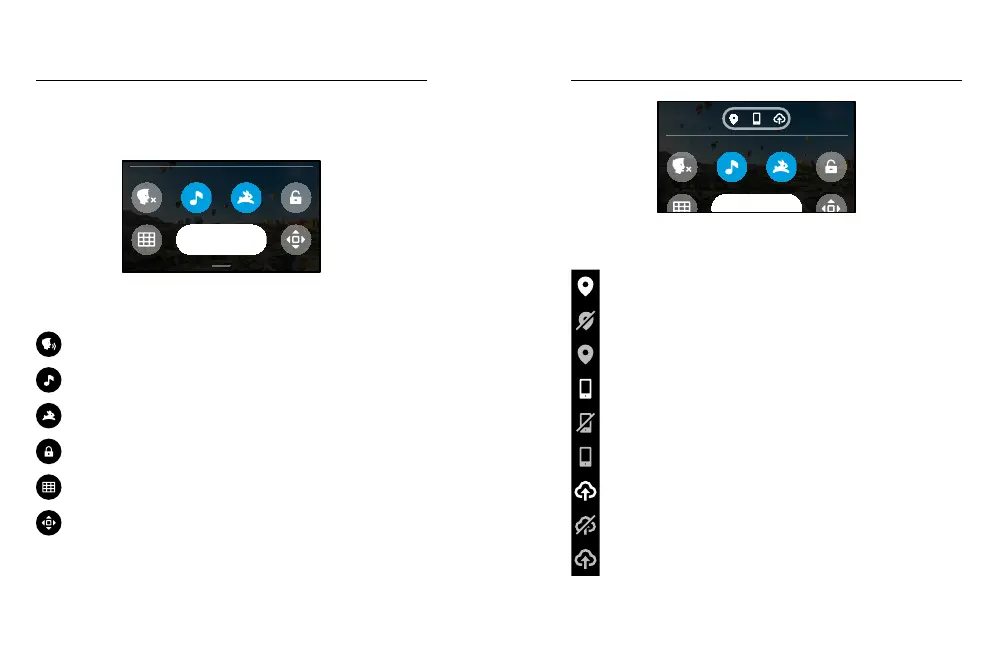
With your camera in landscape orientation, swipe down to access the
Dashboard and Preferences.
Preferences
DASHBOARD FEATURES
The Dashboard lets you quickly tap the following settings on and o:
Voice Control
Camera Beeps
QuikCapture
Screen Lock
Grid
Orientation Lock
Customising Your GoPro Customising Your GoPro
CONNECTION STATUS
Check the top of the Dashboard to see your connection status.
GPS is on (white).
GPS is o (grey).
GPS is unavailable (grey).
Camera is connected to the GoPro app (white).
Camera is not paired to the GoPro app (grey).
Camera is not connected to the GoPro app (grey).
Auto Upload is on and ready (white).
Auto Upload is o (grey).
Auto Upload is on but not ready (grey).















 To Next Page