8 9
MICROSD CARDS
You’ll need a microSD card (sold separately) to save your videos and
photos. Use a brand-name card that ts these requirements:
• microSD, microSDHC or microSDXC
• Class 10 or UHS-I rating
• Capacity up to 256GB
For a list of recommended microSD cards, visit gopro.com/microsdcards.
Heads Up: Make sure your hands are clean and dry before handling
your SD card. Check the manufacturer’s guidelines to see your card’s
acceptable temperature range and other important information.
PRO TIP: Keep your SD card in good condition by reformatting it
regularly. This will erase all of your media, so make sure you save it rst.
1. Swipe down to access the Dashboard.
2. Tap Preferences > Reset > Format SD Card.
To learn how to save your videos and photos, see Transferring Your Media
(page 61).
RECHARGEABLE BATTERY
For the best performance, make sure you use a MAX Rechargeable
Battery with your new GoPro.
PRO TIP: There’s an easy way to check your battery’s condition.
1. Swipe down to access the Dashboard.
2. Tap Preferences > About > Battery Info.
Setting Up Your Camera Setting Up Your Camera
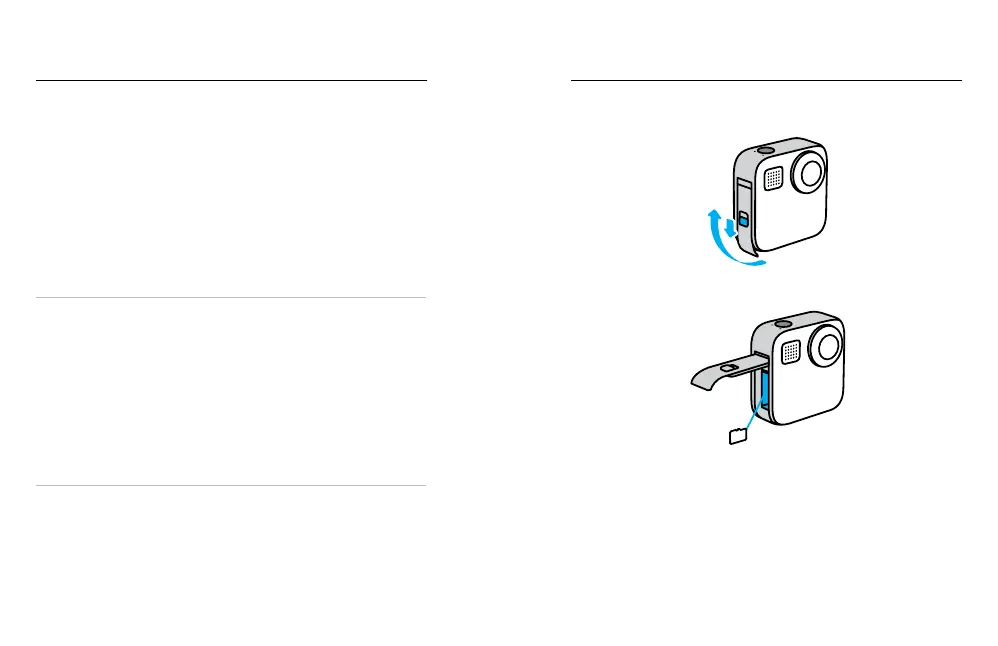
MICROSD CARD + BATTERY SETUP
1. Unlock the door, slide it down and ip it open.
2. With your camera o, insert the SD card into the card slot with the
label facing the battery compartment.
You can eject the card by pressing it into the slot with your ngernail.















 To Next Page