10 11
Setting Up Your Camera
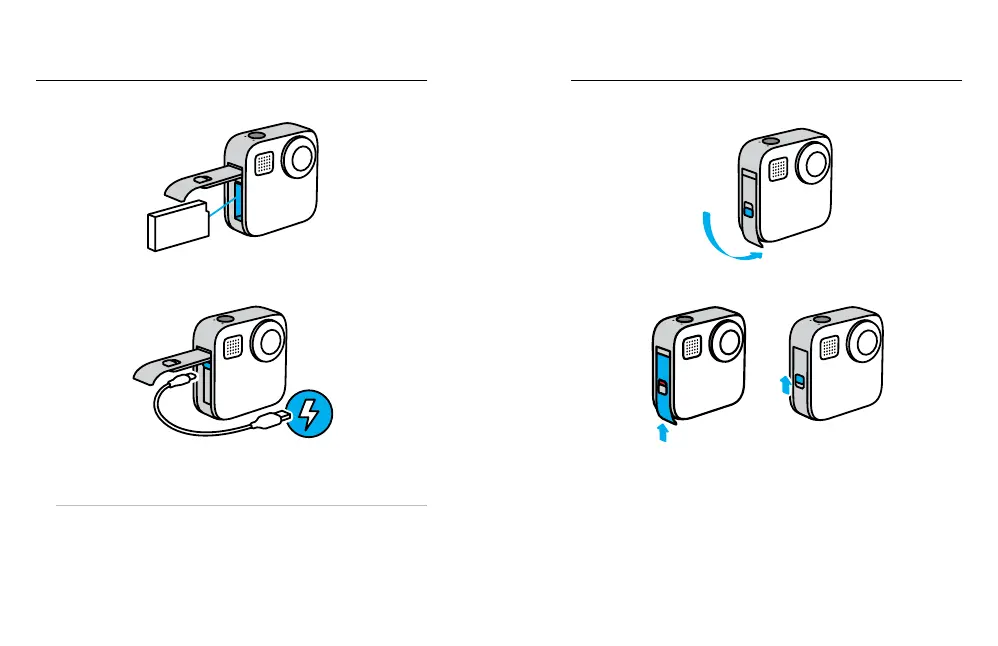
3. Insert the battery.
4. Connect your camera to a USB charger or computer using the USB-C
cable included.
It takes about three hours for the battery to fully charge. The camera
status light will turn o when it’s done. To learn more, see Battery
Information (page 88).
PRO TIP: For the fastest charging, use the GoPro Supercharger
(sold separately).
Setting Up Your Camera
5. Unplug the cable and shut the door when the battery is charged.
6. Slide the door all the way up until there’s no gap and then lock it.
NOTICE: Push from the bottom to make sure that the door is closed
correctly. Don’t use the lock to slide the door closed.















 To Next Page