30 31
Using QuikCapture
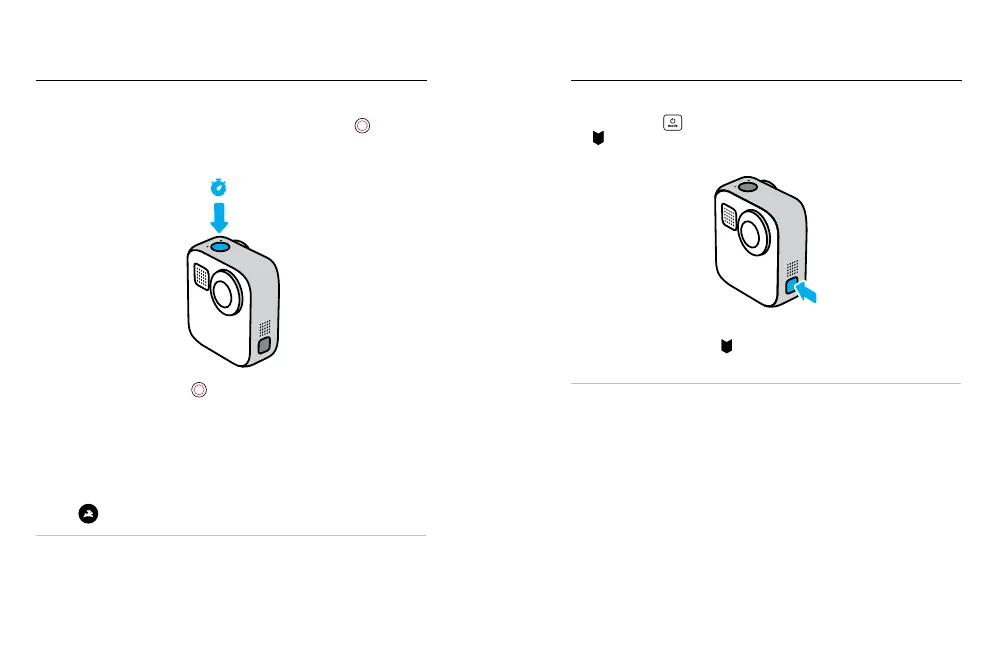
TAKING TIME LAPSE WITH QUIKCAPTURE
1. With your camera o, press and hold the Shutter button
until your
camera turns on (about three seconds). It will start recording in the
last Time Lapse mode that you used.
3s
2. Press the Shutter button
again to stop Time Lapse and turn o
your camera.
For more Time Lapse options, see Capturing Time Lapse (page 43).
TURNING OFF QUIKCAPTURE
QuikCapture is on by default, but you can turn it o.
1. Swipe down to access the Dashboard.
2. Tap
.
PRO TIP: Since it only turns the camera on when it’s recording,
QuikCapture is a great way to maximise battery life.
Mark your favourite moments in your videos and photos by pressing
the Mode button
during recording or playback. This adds a HiLight
Tag
that makes those moments easier to nd when you’re watching
your footage, creating a video or looking for a certain shot.
You can also add HiLight Tags by saying, “GoPro, HiLight” when Voice
Control is on and by tapping
when watching your footage with the
GoPro app.
PRO TIP: The GoPro app looks for HiLight Tags when it automatically
creates videos. This helps ensure that your favourite moments are
included in your stories.
Adding HiLight Tags















 To Next Page