15
860-7104-19 DTB Operation Manual
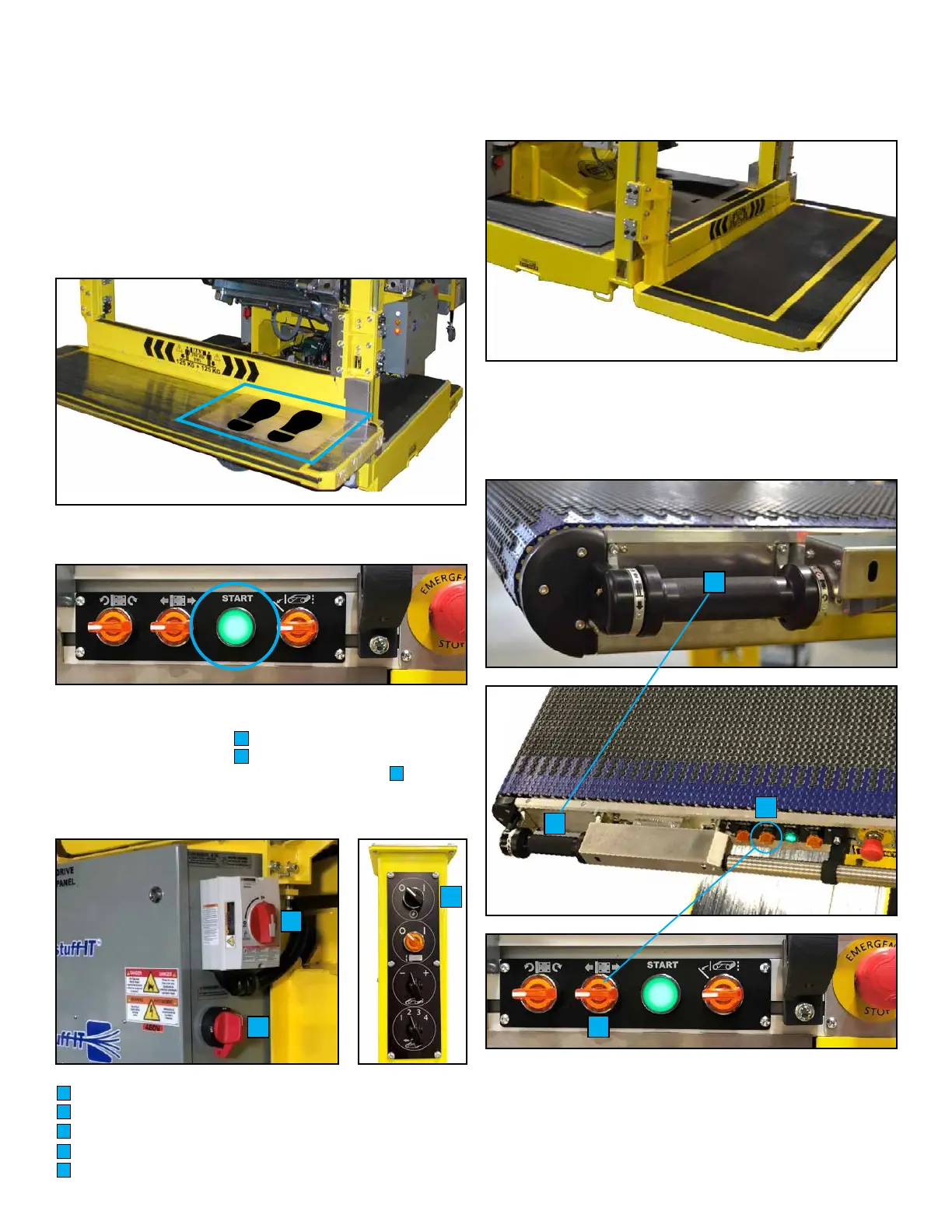
6. Ensure your weight is on operator sensing mat when standing
on operator platform.
7. Hold rotary handle ensuring your ngers wrap around and are
detected by hand present light beam. While standing on mat and
holding rotary handle, use your other hand to drive unit FWD or
REV holding the selector switch in the direction you want to travel.
By rotating handle you will be able to steer the machine.
NOTE: USE CAUTION WHEN DRIVING RESTUFF-IT
TM
. USE
A SPOTTER TO ASSIST WITH MACHINE TRAVEL TO DOCK.
E
E
UNLOADING THE MACHINE
ONLY AUTHORIZED PERSONNEL SHOULD DRIVE THE
RESTUFF-IT
TM
.
1. Remove all packing materials and tether straps. Roll out
remote section and conveyor (if applicable).
2. Prior to starting machine, ensure there are no obstacles
in surrounding area.
3. Stand on top of cardboard on operator platform.
4. Press green Start button on pivoting conveyor. Button will
illuminate green when started. Wait 20 seconds for PLC to start.
5. If machine does not turn on by pressing Start button:
• Turn on AC disconnect.
• Turn on DC disconnect.
• Turn o AC ON/OFF selector switch on left mast.
• Release all E-Stops.
• Press green Start button on front pivoting conveyor.
A
B
C
A
B
AC Disconnect Switch
DC Disconnect Switch
AC On/O Selector Switch
Rotary Handle
Travel Selector Switch
A
B
C
D
E
C
D
D



 To Next Page