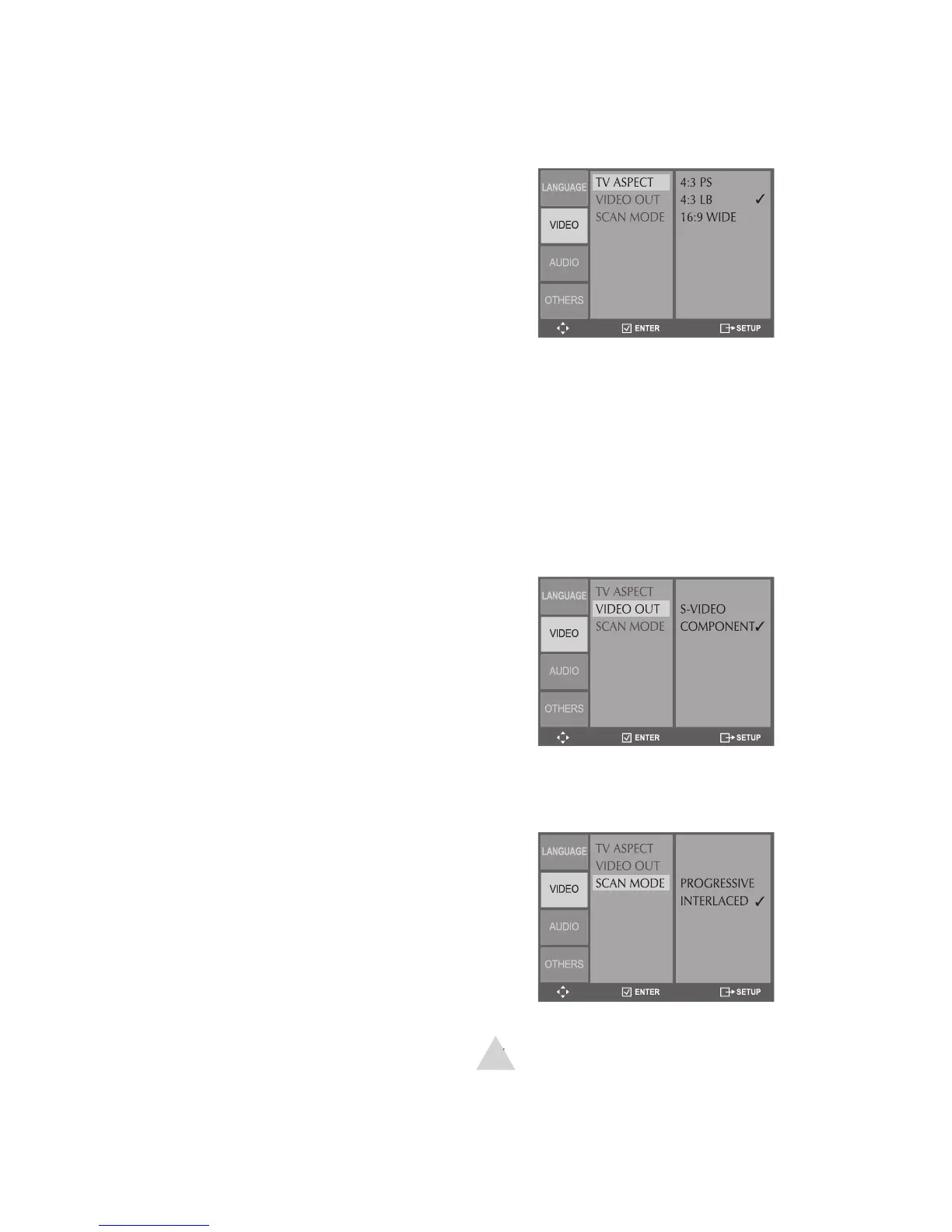
Sets your preferred aspect ratio for DVD
In DVD Stop mode, press SETUP.
Select Video > TV Aspect.
Choose from the following:
- Select if you have a standard
TV and prefer to have widescreen
movies cropped to fi t the screen.
- Select if you have a standard
TV and prefer to watch widescreen
movies with black bars above and
- Select if you have a wide-
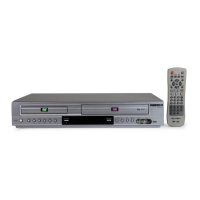
Enables the Component Video or
Progressive Scan output to your TV.
In DVD Stop mode, press SETUP.
Select Video > Video Out.
Choose from the following:
- Enables the S-Video output.
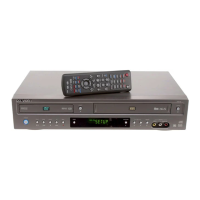
Sets the Component Video output to
Interlace or Progressive Scan.
In DVD Stop mode, press SETUP.
Select Video > Scan Mode.
Choose from the following:
- Select if your TV supports
• You can also press and hold the P.SCAN
button for 5 seconds in Stop mode to
switch between Interlace & Progressive


 To Next Page